



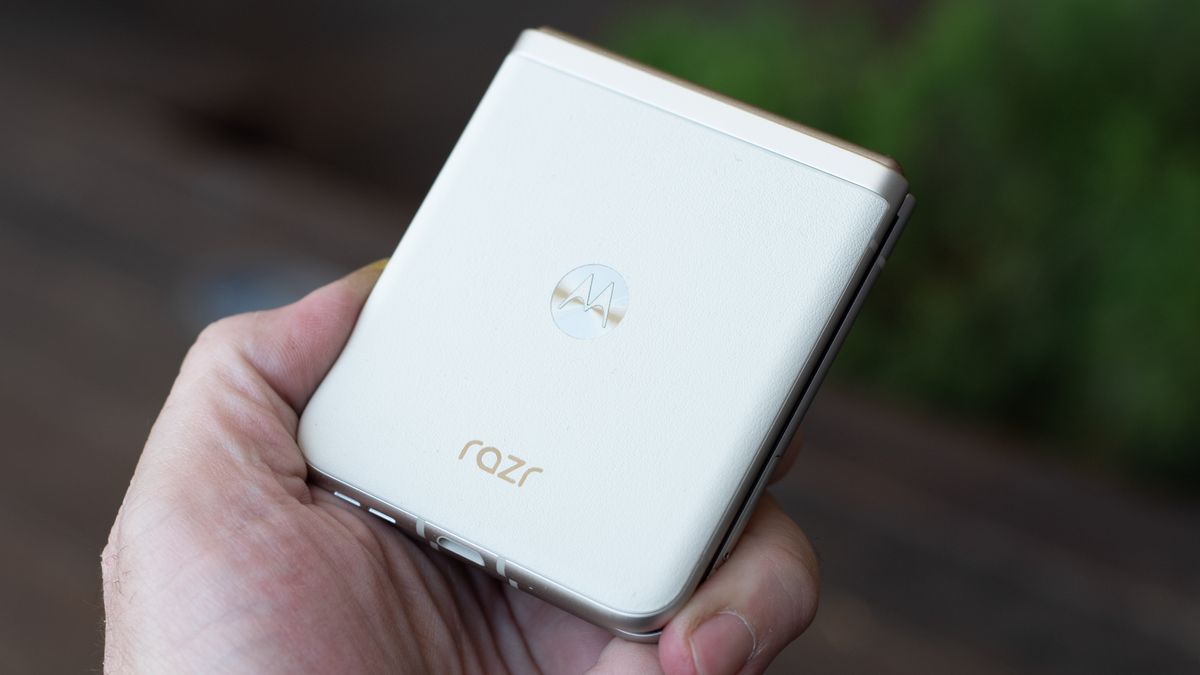
Motorola Razr 2023: One-minute review
The Motorola Razr knocked my socks off when I first saw it last year, and it’s remained one of my top three phone designs of the past year (the other two being OnePlus phones). I love the color options, I dig the feel of the ‘vegan leather’ finish, and I show off the amazing clamshell design. If you haven’t seen this phone go from a truly huge smartphone to a tiny, pocketable communicator, you need to get your hands on one for a look.
Compared to the Motorola Razr Plus, I missed the larger display but the smaller screen on the cover of the Motorola Razr was still sharp and very usable. You can get a preview of your selfies and videos on this phone, just like on the more expensive clamshell foldables, which means you can use the main camera as your selfie cam.
Unfortunately, the camera is the perennial compromise with foldable phones, and none moreso than on this Razr. The Razr Plus had disappointing cameras, but the Moto Razr cameras just feel a bit cheap compared to other options in this price range. For $500, you can get a Google Pixel 7 or a OnePlus 12R, and both of those have much, much better cameras than this phone.
What those phones, and any other phone in this price lacks is the cool factor of the Razr. You can snap it shut to hang up on a phone call. Heck, you can hang up on TikTok or Snapchat the same way. It’s a very satisfying way to put your phone away and focus what’s in front of you, and that is part of what makes the Razr so cool.
The Motorola Razr dares you to put away your phone. You can take photos without the distraction of a big screen. You can check messages with a quick glance. You can snap it shut and show off the look instead of looking at the show. That’s cool. Being hundreds cheaper than other clamshell phones? Maybe the coolest part of all.
Motorola Razr 2023 review: price & availability
- Launched at a higher price and immediately went on sale
- Cheaper than every other new clamshell
- Don’t buy it when it’s not on sale
| Storage | US Price | UK Price | AU Price |
| 128GB (US) / 256GB (UK, AU) | $499.99 | £799.99 | $999.99 |
The Motorola Razr had a staggered launch across the globe, in the shadow of the more exciting Motorola Razr Plus. This phone snuck into US stores at a price close to $700 at launch, after sitting on shelves in the UK for months prior. It quickly went on sale, dropping $100 then another $100, settling at its current price point.
Except Motorola hasn’t changed the price, it’s just kept the phone on sale for months. Not one sale, either, but different sales that tend to run concurrently. As I write this there is a “Spring Break” sale offering $200 off. I’m sure there will soon be an “April Showers” sale offering $200 off, followed by a Mother’s Day $200 sale. Don’t worry about that sale expiration date, but don’t buy this phone if it’s not on sale.
Outside of the US, this phone ships with 256GB of storage, but Americans only get 128GB. We all get 8GB of RAM on this phone, though a 12GB variant may be available in other regions.
Motorola Razr 2023 review: specs
The Motorola Razr 40 isn’t a very powerful phone, but it can handle any apps, web pages, and games you throw its way. It lacks the high-end camera specs you’ll find on other bargain phones like the OnePlus 12R, and even the Motorola Razr 40 Ultra has slightly better cameras. That said, you still get a Snapdragon 7 Gen 1 chipset, a respectable engine that is capable enough, as well as 8GB of RAM and just enough storage, 256GB if you live outside the US (sorry Americans, only 128GB for us).
It’s hard to compare specs directly, because the Motorola Razr 40 bends in half. The OnePlus 12R may have better cameras, but the Motorola Razr weighs 20g less, and it folds up to a pocketable shape that is half the length of the OnePlus phone. If size and style are meaningful, that’s worth a lot more than a little spec bump.
| Dimensions: | Open: 170.8 x 74 x 7.4mm; Closed: 88.2 x 74 x 15.8mm |
| Weight: | 188.6g |
| Screen size (Internal/External): | 6.9-inch folding LTPO OLED / 1.5-inch OLED |
| Screen resolution (Internal / External): | 1080 x 2640 pixels / 194 x 368 pixels |
| Screen peak brightness (Internal / External): | 1,400nits / 1,000nits |
| Refresh rate (Internal): | 144Hz |
| Chipset: | Qualcomm Snapdragon 7 Gen 1 |
| RAM: | 8GB (LPDDR5) |
| Storage: | 128GB (US) / 256GB (UK, AU) (UFS 2.2) |
| OS: | Android 13 |
| Rear Cameras: | 64 MP (f/1.7, 0.7µm); 13 MP (f/2.2, 1.12µm) |
| Front Camera: | 32MP (f/2.4, 0.7μm) |
| Battery: | 4,200mAh |
| Charging: | 30W wired, 5W wireless |
| Colors: | Sage Green, Vanilla Cream, Summer Lilac, Cherry Blossom |
Motorola Razr Plus review: design

- Loses the chin but it’s for the best
- External display is much more useful than anticipated
- Very thin whether open or closed
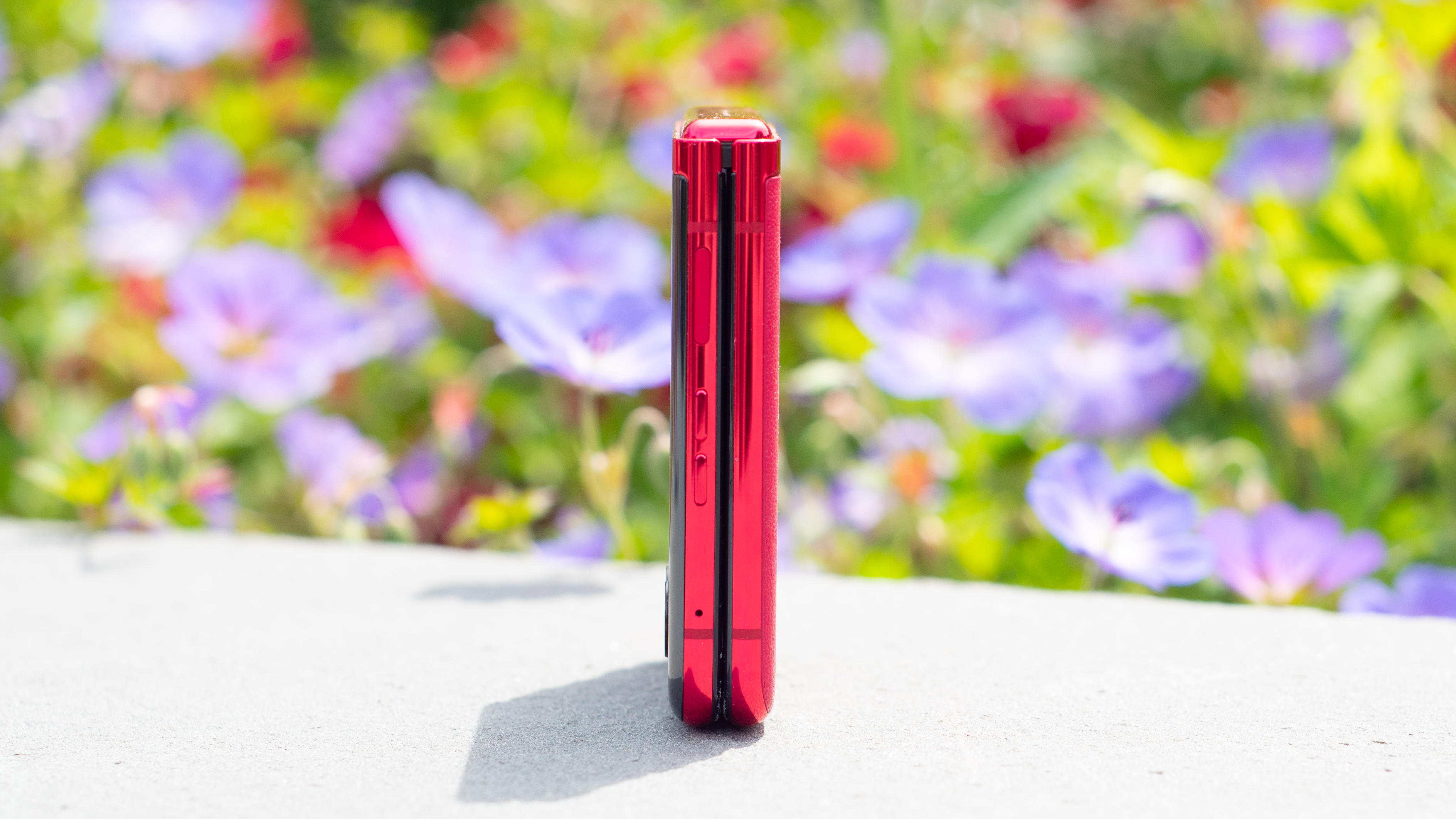
At a glance, the Motorola Razr Plus seems to borrow heavily from Samsung’s Galaxy Z Flip design while ditching some signature Razr design elements, notably the chin. Motorola wouldn’t come right out and say it ditched the chin because it was downright ugly, but let’s face it – it was ugly.
When folded, the two halves of the phone smack together like pursed lips, with a gentle curve around the edges that still manages to cleave together in a sealed crease. Perhaps it’s the Viva Magenta hue of my review unit that adds to this impression. The Samsung Galaxy Z Flip 4, by comparison, seems boxy and square. The Razr Plus shows no visible gap when closed, unlike every competing flip phone so far.
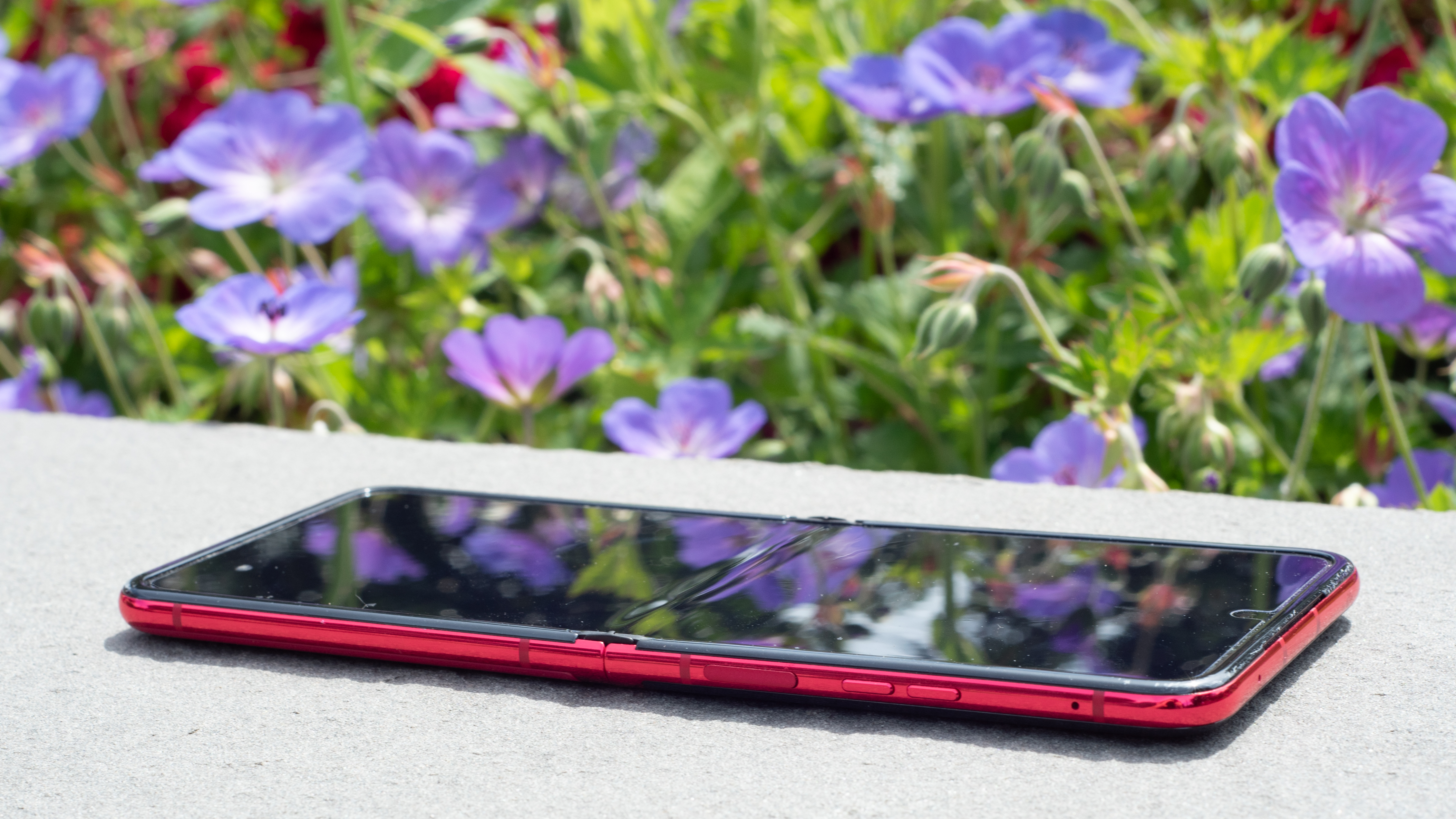

When you open the Razr Plus, the crease disappears more completely than on any flip phone I’ve used. It’s there, and you can feel it, but it’s so unnoticeable that my dad, upon seeing the phone unfold, exclaimed “Wow, the crease just disappears!” Folding phones are new to him, but he was enamored enough by the Razr Plus to look ruefully at the Galaxy S23 he’d just purchased.
Those rounded edges also come together very nicely when the phone is unfolded, creating a seamless curved edge that makes the flexible glass seem even more impossible. The fingerprint scanner is embedded in the power button, which doesn’t stick out as much as the volume rockers, which are the only protruding buttons.
When you close the Razr Plus, the external display lights up and wraps around the dual camera lenses and the small flashlight. Rather than looking odd or compromised, it makes the phone look ultramodern. It doesn’t say “we’ve cut up our display,” it says “our display doesn’t stop for camera lenses.”
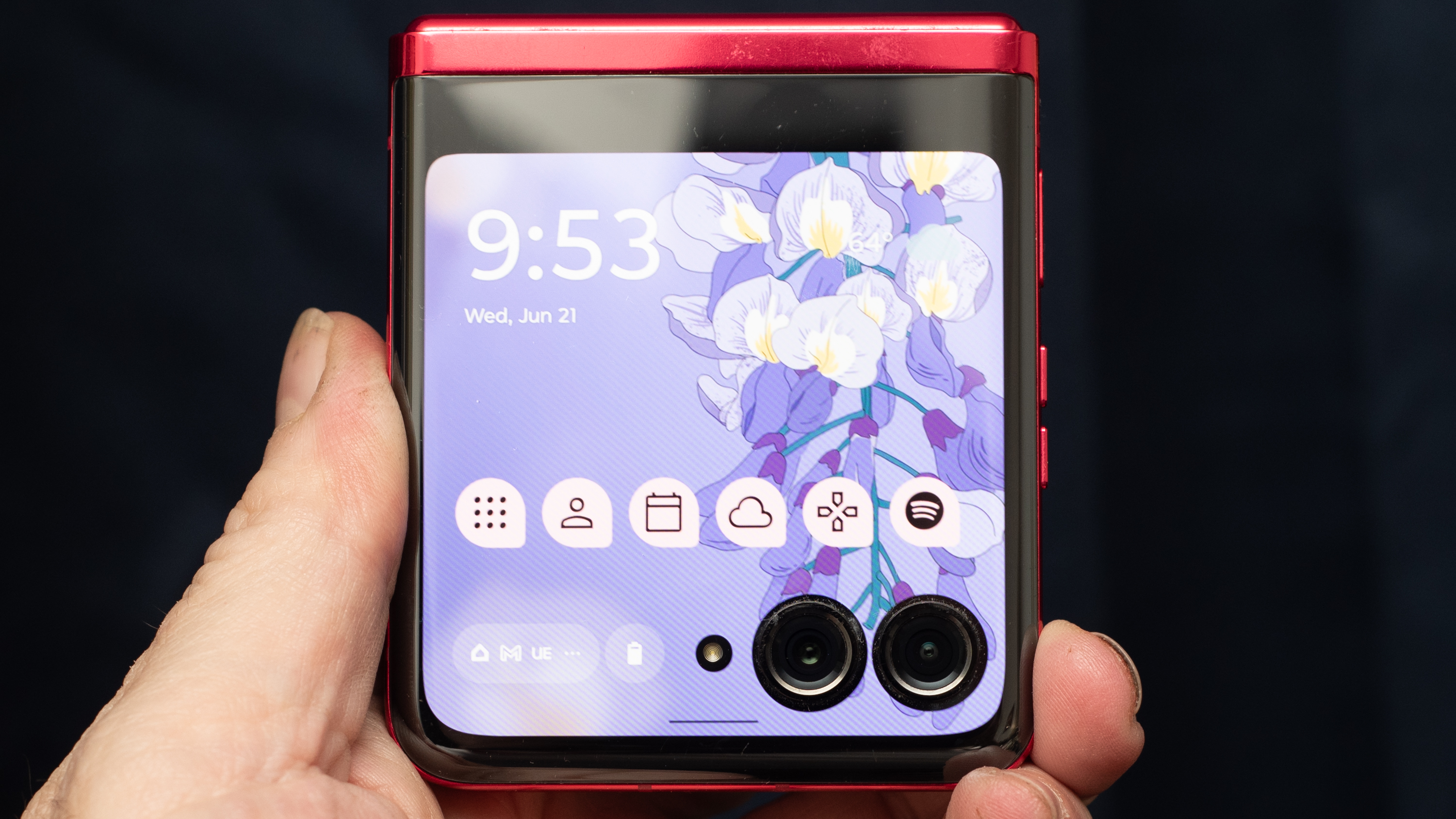

It was absolutely the right choice (apologies to the rumored Samsung Galaxy Z Flip 5 cover display camera corner cutout), and Motorola has even designed games that have you drop marbles into the holes created by the lenses, embracing the design. I’ll talk more about what this screen can do later, but suffice to say, for now, that it’s very big for a second screen on a flip phone, and it makes a huge difference.
As mentioned, my review unit is in the Viva Magenta finish, which also uses a so-called ‘vegan leather’ material. It may be plastic, but it feels great. Also, the phone never slipped off a surface, even in my car when I left it sitting on my center console while in stop-and-go traffic.
Motorola should seriously consider launching more (read: all) color options in this vegan leather finish. It feels more durable than glass, it weighs a few grams less, and it looks great. I’m tired of glass. As long as Moto is shaking up the phone world, let’s shake off the glass back as well.
Motorola Razr Plus review: display
- Bigger and brighter than competing flip phones
- External display is a real game changer
- Cover screen is bigger than the original iPhone’s screen
If the Motorola Razr Plus didn’t have the great external display it would still be a standout for its big folding internal screen, which is great news if you’re holding out for the Motorola Razr 2023, which will have the exact same internal screen (though the slower chipset will run it at ‘only’ 144Hz).
Motorola’s display has the same ‘FHD+’ resolution as the Samsung Galaxy Z Flip 4, at 2640 x 1080 pixels. It unfurls to a majestic 6.9 inches, which really is a marvel of modern technology when you think about it. When the first tablets were launched, that compact models had a 7-inch display, and now that same display size – and a higher-quality display too – is available on a thin smartphone that folds up to fit in your pocket.


For comparison, the iPhone 14 Pro gives you around 2.5 inches less screen area, even though it weighs more. No matter what phone you’re used to using, when you open up the Motorola Razr Plus you’re going to be amazed by just how much screen you can fold up and stow in your pocket.
Here’s another mind-blowing iPhone comparison. The original iPhone had a 3.5-inch display (with a 480 x 320 resolution), with just over 5.6 inches of screen area. On the Moto Razr Plus you get almost 6.5 square inches of screen space on the external 3.6-inch square display, and it runs at a stunning 1056 x 1066 resolution, which means it has the same sharpness (pixel density) as the internal screen.
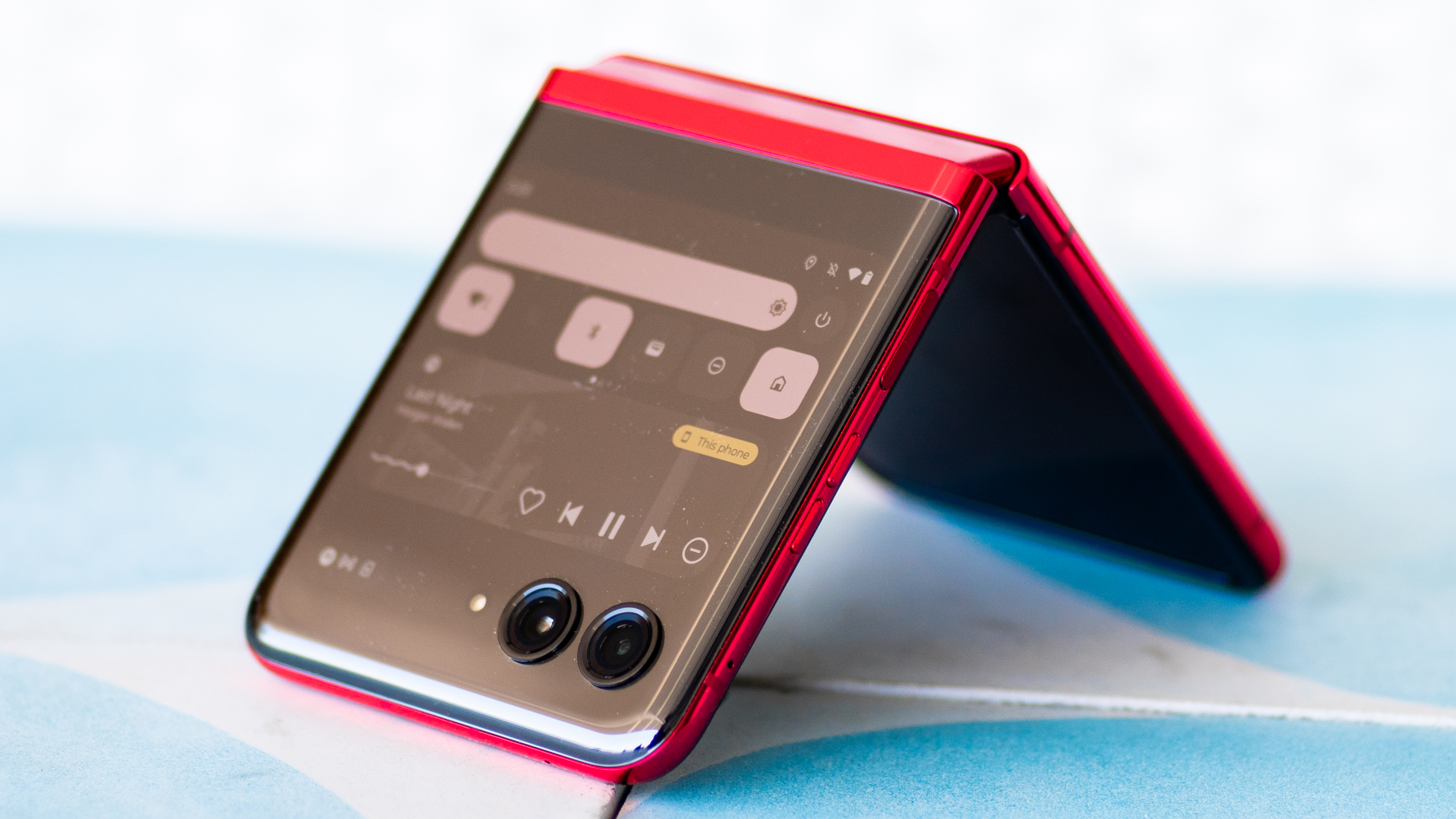

In other words, this is the first flip phone that isn’t paying lip service to the cover screen. This isn’t a screen that’s just for checking the weather or simple notifications, and neither is it there to just show cute animations. This is the real deal. You can run full apps on this display, as I’ll explain in the Software section below. Apps aren’t always drawn properly, but you can run almost anything, unlike on previous external displays, which could run almost nothing.
I wish both displays were much brighter, but that’s because I was using them a lot for taking outdoor photos, and from unusual angles, making them harder to see. The internal screen can go just a bit brighter than the one on Samsung’s Galaxy Z Flip 4, but the external screen needs a real boost. Neither display comes close to the brightness you’ll get from an iPhone 14 Pro.
Motorola Razr Plus review: cameras
- The weakest link in the Razr Plus’ chain
- Image processing is terrible
- Better for selfies than most competitors
Ugh… why Motorola? Why does everything have to fall apart when it comes to the cameras? I have reviewed and previewed quite a few Motorola phones in the past year, and none of them have impressed me with their photography capabilities. The Motorola Razr Plus sadly continues Moto’s problematic tradition of phones that take bad photos.
How bad? Pretty bad. I relied on this phone for my kid’s 8th grade graduation, and it was a big mistake. I won’t make that mistake again for the High School finale (the one that matters). Zoomed photos look blurry and oversharpened, and even basic portrait shots need help.
Image 1 of 6


All around, this phone has all the hallmarks of a low-quality camera. In photos of flowers, the camera blew out red tones until the details were mostly gone. Taking photos in the woods, stems and leaves in the background were either unnaturally blurry or digitally oversharpened, with deep black lines dividing objects.
Image 1 of 6
The one saving grace is that this low-quality main camera is still better quality than most selfie cameras, and the Motorola Razr Plus is made for using the main lens as your selfie shooter. You can easily use the external display as your viewfinder, and there are a couple tricks that let take a shot even if you aren’t holding the Razr. You can smile or wave your hand, with both options selectable as shortcuts in the camera settings.
Can I forgive bad photos if the process of taking photos is so much better? They say the best camera is the one you have with you, and more often than not that’s going to be one of the best camera phones. I always carry a smartphone, but I found myself taking more photos with the Razr Plus – more selfies, and more unusual shots taking advantage of the angled flex of the display.
I also took more group shots, because people love seeing themselves in the external display viewfinder. It was one of the most delightful things about this phone when I was showing it off to friends. Foldable 6.9-inch display? Not impressed. Want to see yourself while I take your picture? OMG, YES!!!
Image 1 of 14
I want better cameras, though. Even Samsung skimps on the cameras in its Galaxy Z Flip 4, but I was especially disappointed here. The main camera uses a wide aperture lens, wider than any flip phone competitor and most other smartphones. It should be great at low-light photos, and it should produce a smoothly blurred backgrounds with attractive bokeh.
If it actually makes a difference, I couldn’t see it. I put the Motorola Razr Plus up against my iPhone 14 Pro, and there wasn’t a single photo from the main camera that was better, unless I was comparing it to one from the selfie camera on the iPhone.
I can forgive most of the Razr Plus’ faults, but the poor camera performance is hard to swallow. I enjoyed taking more selfies and delighting friends with the external display camera tricks, but I need at least a partly competent zoom lens for school functions and the occasional bird sighting. The Motorola Razr Plus 2023 is great for selfies, but otherwise getting great shots will be a matter of luck, not technical advantage.
Motorola Razr Plus review: software
- Useful clocks and widgets for the external screen
- Most apps will run on both displays
- Useful Motorola gestures and shortcuts
I can tell you the exact moment that I realized the Motorola Razr Plus was something entirely new. I was out hiking with my dog, expecting to use the Razr for photos and fitness tracking. I downloaded my maps to AllTrails as I always do, and as I hiked I checked my maps and recorded my progress.
Normally I obsessively check my phone maps to make sure I’m on track, finding the best and easiest routes to keep the dog and kiddo interested. Every time, I feel like I’m interrupting my hike with my technology – but not with the Razr Plus. Using the external display, I could simply glance at my AllTrails map without opening the phone. Everything worked, including the high-definition map, the progress tracking, and all of the other apps I had running at the same time.
It wasn’t like having a phone on my hike; it was like having a pocket-sized map device. And while I’ve never had a pocket-sized map device, this was much nicer and more convenient than a big smartphone. In this context it becomes a whole new device, and a whole new experience.
Image 1 of 6
When I go to the grocery store, I’m not lighting up my smartphone every time I need to check my list; I can just keep my list on the external display. Now I have a pocket-sized shopping list device too. A smartphone is big and obnoxious and distracting; this is quick and unobtrusive. I check the box on my Google Keep Notes shopping list, then flip to Spotify or Apple Music (yes, on Android). It all works great on the external display, and I don’t need to open my phone.
For almost every app on the phone, you can set how it behaves when you close the display. An app can do nothing, or it can appear automatically on the external screen. You can also have apps ‘tap to transition’ giving you agency over whether they become available on the cover screen on an ad-hoc basis with a single button press. Every app can be set with its own behavior.
Not every app works perfectly. I tried to play Marvel Snap, a game that’s designed for portrait mode. It ran just fine on the square external display, but the text was too small (though legible), and the layout was weird. It worked, it just wasn’t optimal.
More apps work well and look good than not, though. I had no trouble scrolling my feeds in Slack, Facebook, Instagram, and other social apps. I could read web pages in Chrome, or browse Yelp with the display shut. There’s a keyboard if you really need to type, but that’s obviously easier with the screen open.
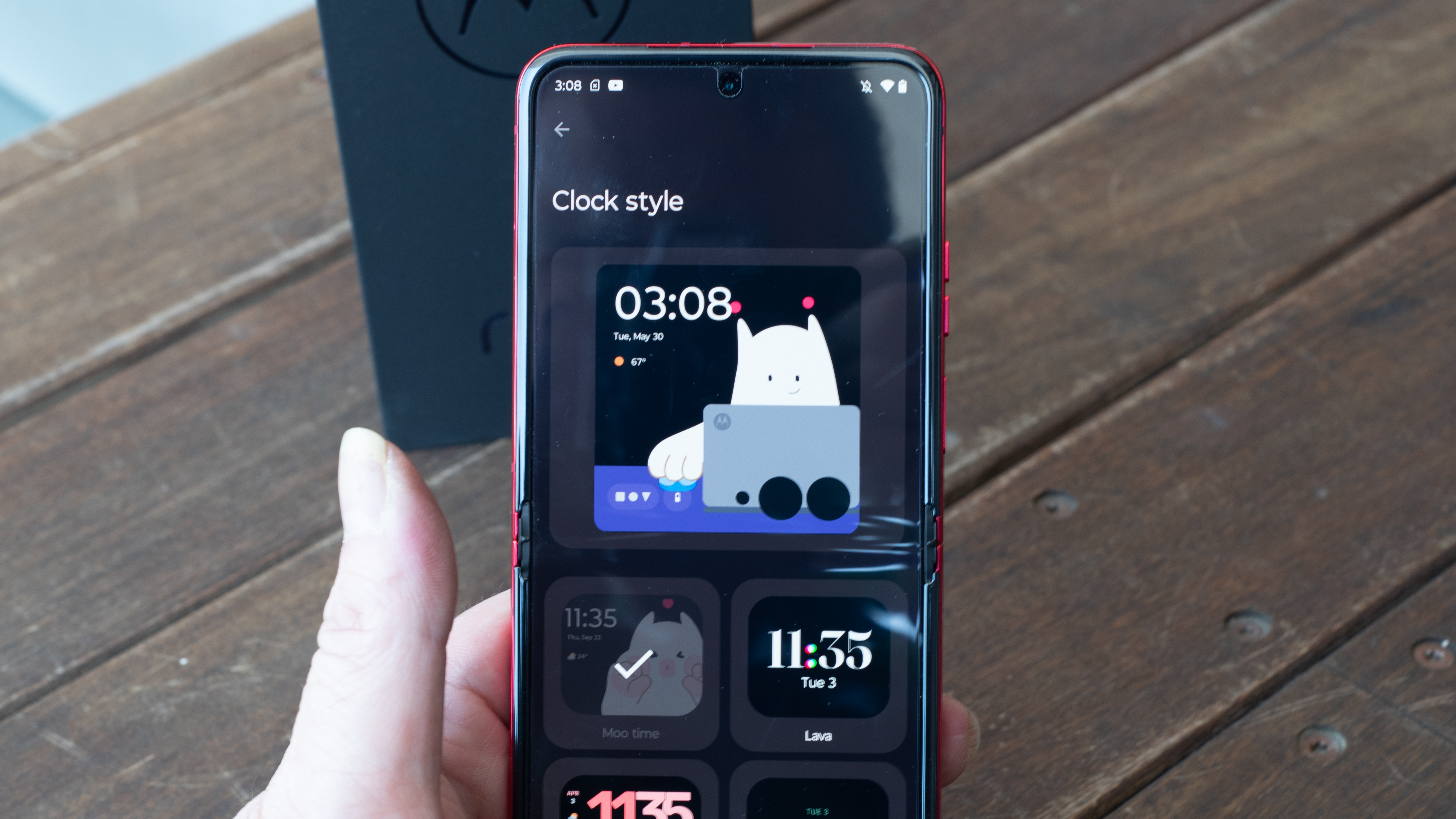

Other than on the external screen, Motorola’s software hews very close to Google’s own designs for Android, as you’ll find on the Pixel 7 Pro, for instance. There aren’t many new tweaks or improvements for this new Razr, but that’s fine. I’d like to see some aspects of the experience improved, but it’s already mature, and doesn’t overload you with features or pop-up windows.
I like Motorola’s gestures and use them frequently. On Moto phones you can twist your hand back and forth to open the camera, and on the Razr Plus this works even when the display is closed. You can make a couple of quick karate-chop motions to turn the flashlight on and off. These gestures work well, and I used them often once I’d committed them to memory.
The Motorola Razr Plus comes with Android 13 preloaded, and we expect three major OS updates for this phone, which should take it to Android 16. Google is launching its own folding phone this month, the Google Pixel Fold, so it’s an interesting time for folding phones, and hopefully Google’s own improvements will trickle down to other Android foldables.
Motorola Razr Plus review: performance
- Fast performance for games and running both displays
- Improved performance over last year
- Same chipset as the Razr 2022 and Galaxy Z Flip 4
If all you care about are benchmark scores, the Motorola Razr Plus won’t be the phone to pick. Thankfully, real-world performance tells a different story than I expected from the specs, and even though this phone uses the same platform as last year (or perhaps because it does), it performs better than the previous Razr, and better than I expected.
Inside, the Razr Plus is nearly identical to the Motorola Razr 2022. They both use the Snapdragon 8 Plus Gen 1 chipset, and 8GB of LPDDR5 RAM, and in the year since the Razr 2022 was launched, Moto has clearly done some work to optimize its software. We complained in our Razr 2022 review that it stuttered while playing games or switching to the external display, but I had no performance complaints at all during my review period with the Razr Plus. It ran smoothly no matter what I was doing, whether playing new games like the highly-detailed Marvel Snap or shooting video with the flex mode video camera.
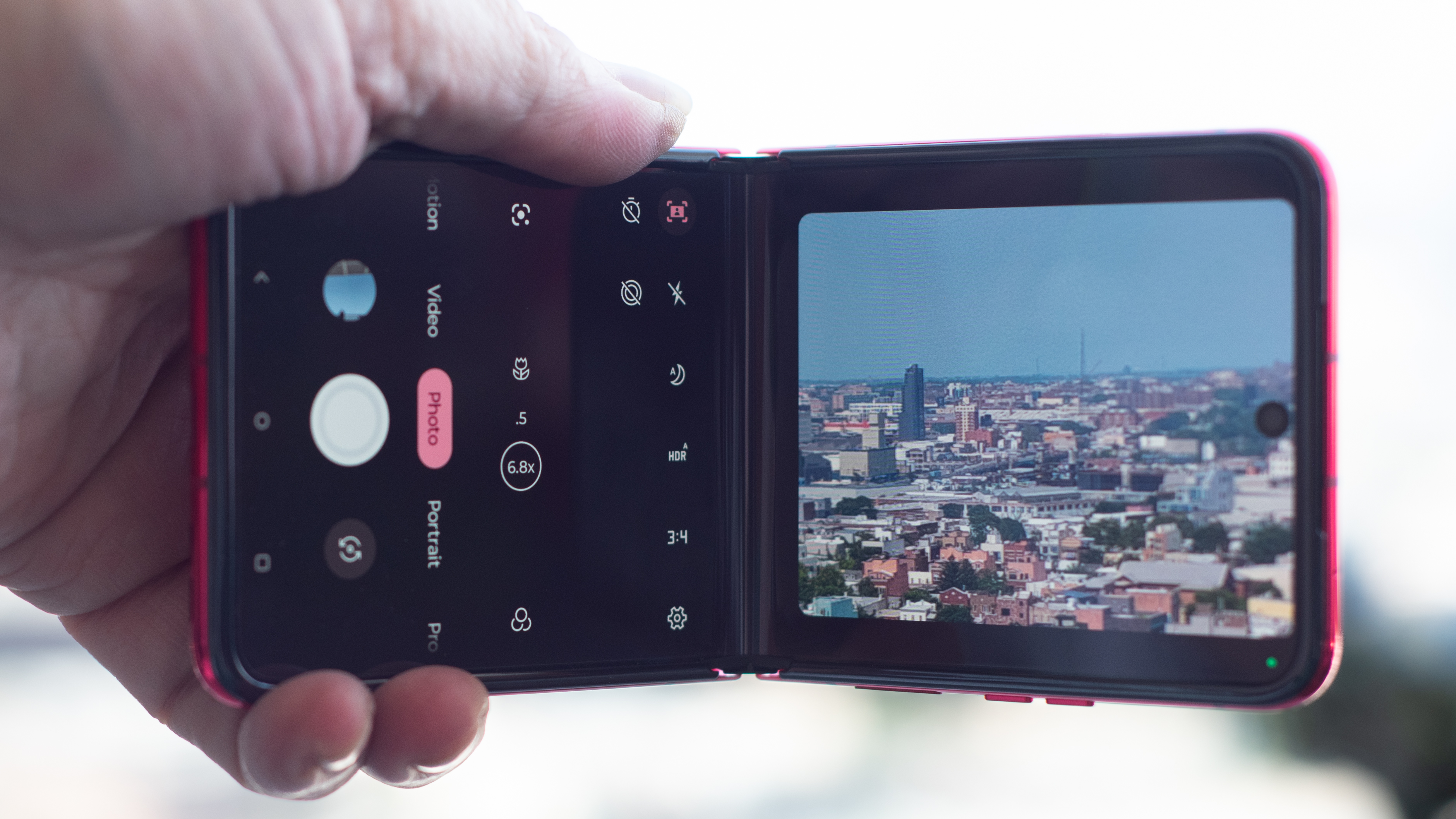

The Razr Plus was impressively responsive. When I used the camera, I set the phone to snap when it detected a smile, and it responded almost instantaneously whenever anyone so much as smirked. When I clapped the phone shut, the external display lit up with no delay, and apps switched smoothly from one screen to the other without hesitation.
It’s likely that the Motorola Razr base model will see more of a sacrifice performance-wise, as it relies on a mid-level Snapdragon 7 chipset. The Razr Plus uses a flagship platform, and the fact that there’s been a Snapdragon update since it was launched doesn’t diminish its performance. It’s a very fast chipset, and Motorola has clearly learned how to make the best use of it.
- Performance score: 4.5 / 5
Motorola Razr Plus review: battery
- Slightly larger battery than Galaxy Z Flip 4
- Battery life could be better
- Using two displays drains the battery faster, go figure
Motorola has done the best it could in fitting a large battery inside the thin folding shell of the Razr Plus. It’s even managed to fit a larger battery into the folding frame than you’ll find in the iPhone 14 Pro, though Apple manages power slightly better. I couldn’t quite make it through a full day on a full charge with the Motorola Razr Plus, though that’s probably because the phone was just so much fun to use.
Having a dynamic and useful external display meant that I used the phone a lot more than I would a flip phone that’s dark and motionless when it’s shut. Even when I wasn’t checking my hiking trails or keeping up with Slack chats, I just liked having the clock and screen saver active. It looks cute, and I don’t mind charging my phone a little more often as a trade-off for a bit of cuteness.
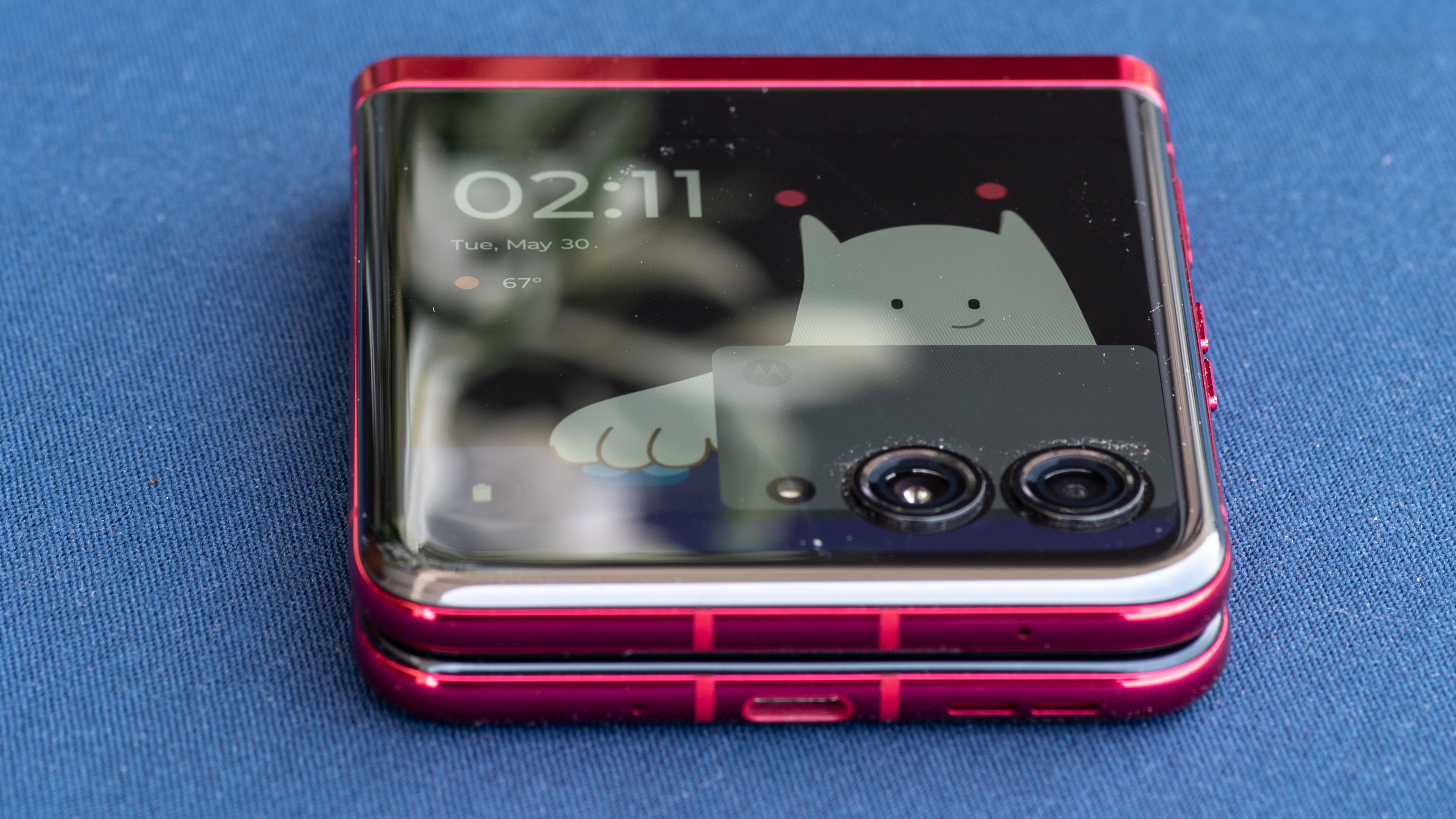

That said, the Razr Plus would benefit from faster charging. The 30W charging capability is fine, though Moto doesn’t give you a charger in the box (they sent one with my review unit). You can charge the phone wirelessly if you have a lot of spare time, as the Razr Plus charges at a trickling 5W, a fraction of the 15W wireless you’ll find as standard on the best smartphones.
If you need extra power, you might want to wait until the base model Motorola Razr shows up. It will have a slightly larger battery inside, a benefit of foregoing the cool external display in favor of a smaller display strip. Having used the Razr Plus for a while, though, I’d rather have the external screen and charge more often.
If I’d wanted the Moto Razr Plus to last longer I could have turned off the screensaver clocks and engaged power management, but I didn’t do that, I let it drain. I was having too much fun.
Should you buy the Motorola Razr Plus?
| Attributes | Notes | Rating |
|---|---|---|
| Value | Same price as last year’s model, with an extra half-screen more | 4 / 5 |
| Design | Most refined and tight-fitting flip phone ever, with a game-changing external screen | 5 / 5 |
| Display | Big on the outside, bigger on the inside, and the external display is much more than an afterthought | 5 / 5 |
| Cameras | Not the best cameras, but great design makes it easy to get unique shots that other phones can’t manage | 3 / 5 |
| Software | Some apps are optimized, but everything kind of works with the external screen, making it endlessly useful | 4 / 5 |
| Performance | Good enough to keep up with every task, but it could get warm when pushed with video recording or gaming | 4 / 5 |
| Battery | Battery life could be better, and using that external display (or both at once!) means using more power | 4 / 5 |
Buy it if…
Don’t buy it if…
Motorola Razr Plus review: also consider
Note that this chart is going to change when Samsung launches the Galaxy Z Flip 5, and I’d also expect the Z Flip 4 to stay on the market for a while at a lower price.
| Motorola Razr Plus / Razr 40 Ultra | Samsung Galaxy Z Flip 4 | Motorola Razr 2023 | |
|---|---|---|---|
| Price: | $999.99 / £1,049.99 / AU$1,499 | $999.99 / £1,049.99 / AU$1,499 | TBD (much less) |
| Display | 6.9-inch internal; 3.6-inch external | 6.7-inch internal; 1.9-inch external | 6.9-inch internal; 1.5-inch external |
| Cameras | 12MP main, 13MP ultrawide, 32MP internal (8MP images) | 12MP main, 12MP ultrawide, 10MP internal | 64MP main, 13MP ultrawide, 32MP internal (8MP images) |
| Battery | 3800 mAh | 3700 mAh | 4200 mAh |
If you’re looking for other flip phones to consider alongside the Motorola Razr Plus, here are a few of options.
How I tested the Motorola Razr Plus
- I’ve had the Motorola Razr Plus for two full weeks of testing
- This was the only phone I used for the review period
- I use benchmarking software, developer tools, and internal data collection
I used the Motorola Razr Plus as my primary phone for both business and personal use for a few weeks while writing this review. I used the Razr Plus in every way I imagined a typical user would want to use it. I took photos, played games, and used it for all of my social networking and communication needs. I used productivity apps and tools, mindfulness and health apps, and fitness apps on the phone.
I also used the Razr Plus with wearable devices, including the Pixel Buds Pro earbuds and my Pixel Watch. I used it with an Xbox gaming controller, my Honda and Kia cars, and numerous Bluetooth accessories.
We benchmark all the phones we test using standard benchmarking software, and we also perform internal testing on the phone’s performance and battery life. I used GFX Benchmark, PhoneTester Pro, and Geekbench, among other testing apps. I also access the developer options on Android phones for direct feedback on performance from the device itself.
During my review time with the Motorola Razr Plus I loaded all of the apps I normally use with my smartphone. I used it for maps and navigation, music and video playback, as well as for calls and messaging. I took lots of photos and videos, played games, and used the phone to take photos at special occasions, including my kid’s middle school graduation.
First reviewed June 2023