



Philips Hue Lustre White: one-minute review
The Philips Hue White Ambiance Lustre colour-changing smart bulbs are ideal for use in bedrooms and living rooms where they can add an intimate feel or provide suffused light for reading or gentle wake-up calls.
Philips’ expertise with producing some of the best smart lights on the market really comes into its own, with these simple-to-set-up bulbs that use Bluetooth or ZigBee to connect to a Wi-Fi network. Setup and subsequent light control is managed seamlessly through the Philips Hue app. Here you can adjust scenes, routines and light levels individually or as a cluster of up to 10 lights, plus connect to other smart devices.
Philips Hue smart bulbs are compatible with Amazon’s Alexa and smart speakers, adding voice control functionality to the mix. Although this is ‘only’ a white smart light bulb, Philips expertly demonstrates just how many subtleties and shades and how many lighting effects can be created using a single base colour. I’ve already promised myself additional Hue lights for around the house. In most instances, I see myself choosing the calming light options offered by the Hue Lustre White in any case.
The Hue Lustre is compatible with Philips’ Hue Bridge so you can control multiple smart devices in the range centrally, but if you’re only after a couple of fancy coloured smart lights, these Bluetooth-enabled, app-controlled ones will fit the bill handsomely. Though considered as among the best smart home devices to invest in, they are more of an impulse buy than a considered purchase, making the addition of Bluetooth something of a power move on Philips’ part in this competitive market.
Philips Hue Lustre White: price & availability
- From £19.99 / AU$54.95
- Available in the UK and Australia at the time of writing
- Warm-to-cool-white and colour versions available
The Philips Hue Lustre smart bulbs have the advantage of cost. This entry-level smart bulb is affordable for most people.
A single bulb costs £19.99 / AU$54.95, but the twin-pack is even better value. I’m sure I won’t be the only one mentally working out where else I could justify an extra Hue bulb or two, or snapping up another twin-pack for its great value. A twin pack costs £29.99, whereas the warm-to-cool-white version costs the same amount for a single bulb and the warm-to-cool-white-and-colour version is £54.99 / $99.95.
TechRadar’s main gripe about the original Philips Hue range was that individual bulbs were expensive, making it unlikely customers would replace all their lights to be part of such a system. Here, however, we’re looking at bulbs costing £15 apiece when bought as a pair, rated for 25,000 hours of use and ready to use minutes after unpacking.
Unfortunately, while the Hue Lustre smart bulbs are available in the UK and Australia, it’s not being sold in the US at the time of writing.
Philips Hue Lustre White: specifications
| Fitting base | E14 / E27 / B22 / GU 5.3 / GU10 |
| Wattage | 5.7W |
| Maximum brightness | 470 lumen |
| Color channel | RGBCW |
| Control options | Philips Hue app (Android & iOS), Google Home, Amazon Alexa, Matter, ZigBee; Apple HomeKit and Microsoft Cortana with Hue Bridge |
| Connection options | Bluetooth; Matter, ZigBee |
| Compatible Matter routers | Philips Hue Bridge; Apple HomePod mini [with Hue Bridge] |
| Max bulbs per connection | 10 on Bluetooth; no limit with Philips Hue Bridge |

Philips Hue Lustre White: design
- Range of light fitting versions
- Bluetooth connectivity for straightforward setup
- Provides powerful 470 lumens illumination
In just 10 years, smart bulbs have become mainstream enough that early versions can often be acquired for a song in electronics stores, no longer feature-laden enough to satisfy the discerning customer. Statista predicts the smart lighting market to increase tremendously and quadruple to around US $44 billion by 2030 from its 2020 value of $11 billion.
Philips was early to the smart lighting game and quickly carved out a name and handsome share of the market for its Hue range. Now, it is upping the ante with bulbs that contain more of the smart elements, cutting out the need for additional hardware to connect and control their pretty lighting while also reducing entry-level bulb prices.
Whereas the original Hue White smart bulb was sold mainly on the ability to control it as part of a home network, here those controls are via Bluetooth, not only simplifying the installation but also adding a rich app experience. The Philips Hue Lustre White is a stunning showcase for this additional functionality without compromising on the ease of use you’d expect from a premium consumer electronics brand.
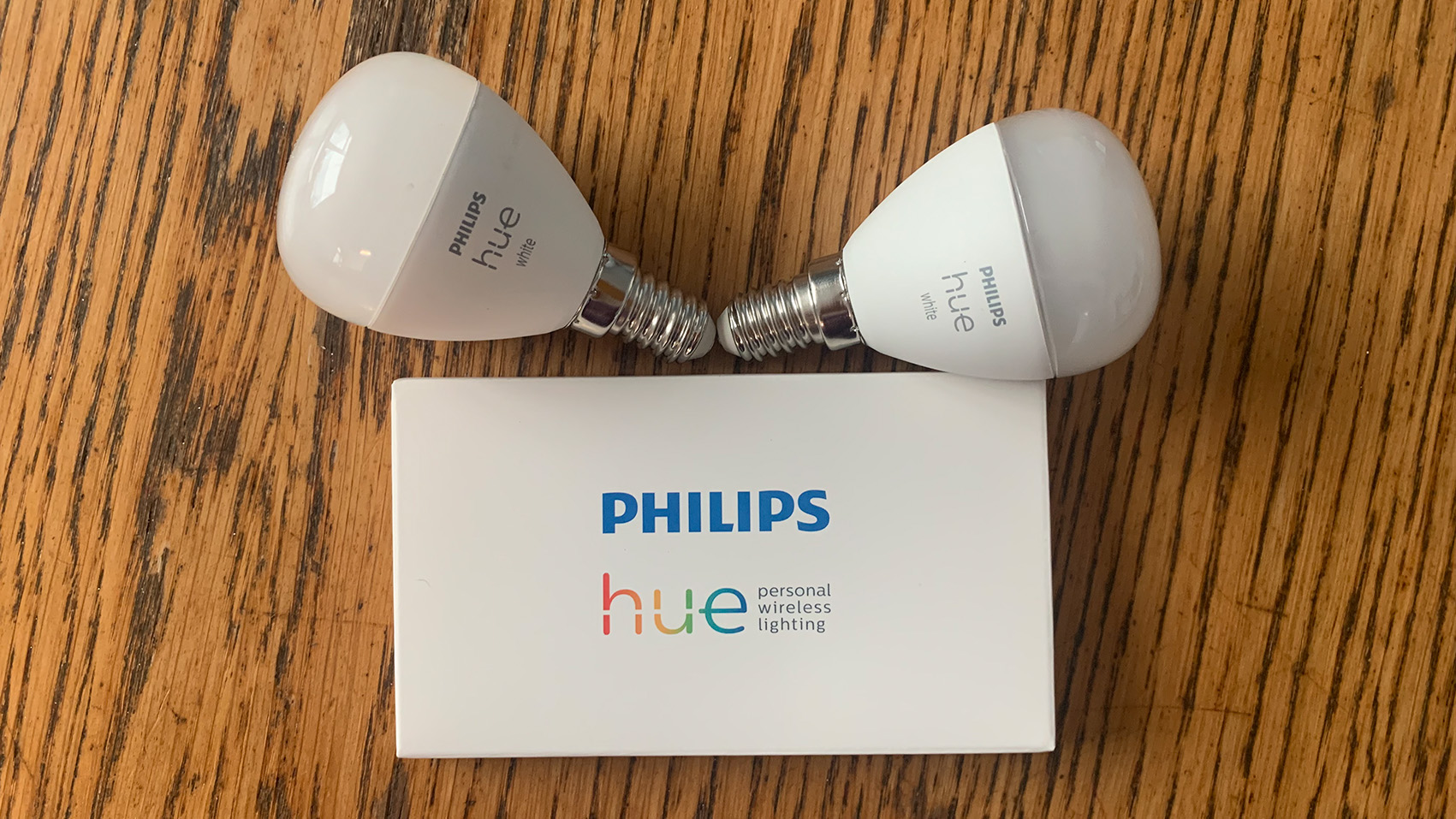
Philips Hue smart bulbs come in several versions to accommodate different light fittings, as well as offering a choice of Candle and Lustre shape bulbs and colour options. This version, soft warm white, is the sort you’re likely to need for table lamps, wall lights and small pendant lamps, marking it out as a smart bulb for intimate spaces and cosy nooks. The top half of the lamp is translucent white glass while the lower half is encased in plastic.
Although this may look like a generic light bulb, the Hue Lustre is capable of running the gamut from a strong 470-lumen intense light for when you need to fully focus to becoming a subtly glowing orb with a warm colour temperature of 2600K. Philips also sells Hue filament bulbs for use in situations where an exposed bulb is desirable, but since the Hue Lustre is likely to be placed within the housing of a fixed down- or uplighter or hidden within a lampshade, its plain appearance doesn’t much matter.
The need for fiddly switches has also been overcome by embracing Bluetooth, further simplifying setup and control. Voice control functionality can be added using Amazon Alexa or the Google Home app. However, Apple HomeKit users will need to invest in a Hue Bridge in order to use the Hue smart bulbs with the Apple Home system. Microsoft Cortana is also only supported via the Hue Bridge, but other smart home connection options include both ZigBee and the increasingly widely-supported Matter.
Philips Hue Lustre White: setup & app
- Attractive design and easy to navigate
- Rich user experience with plenty of preset light options
- Google Home, Amazon Alexa and ZigBee supported
Setting up the Philips Hue Lustre light was barely more complex than changing a regular light bulb. The E14 bulb screw fitting meant it could be used with my pretty Moroccan fretwork lamp and the second E14 lamp I bought to better enjoy my Hue smart bulbs. After screwing the Hue Lustre bulb into position I just needed to switch on the lamp at the mains and flick its on switch to make it visible on my Wi-Fi network. Standby mode uses a modest 0.5Wh.
The Philips Hue app is great! It requires only minimal personal information to set up, and I found its précis of terms stating that privacy is respected by default refreshing and reassuring. It took care of finding both Hue Lustre bulbs on the system and labels them by name and order in which they were added to the smart home setup. A few seconds later I was able to toggle the lights on and off individually or, as is the default, as a group.
Image 1 of 2


Scene selection and previewing was another one-touch task: the Hue lamp immediately responded by switching to the selected option, and the inclusion of seasonal settings – currently spooky Hallowe’en ones – made me feel I’d go back and check for new scenes having been added to the Gallery once in a while. Mood-based and time of day, focus or relax defaults made it easy to choose something appropriate without dithering. It might have been handy to have options not available to the particular Hue smart bulb blanked out, but seeing the array offered may also be a spur to splurging on a pricier edition.
Bluetooth connectivity built into the Hue smart bulbs is a game-changer, but it’s worth noting that the Philips Hue app only supports 10 lights at once. This is likely to be plenty for most homes, but centrally controlling additional Hue-enabled devices including outdoor lights, plus working with Apple HomeKit are beyond the app’s scope. This is a neat teaser to tempt upgraders to add a Hue Bridge to their smart home setup, and would also fix the other issue with the Bluetooth and app-based controls for the Hue Lustre range: you can only tweak settings and directly control the lights while you’re connected to the same network.

Philips Hue Lustre White: performance
- Ample brightness, very responsive
- Lovely range of light effects
- Needs Bridge to work with Apple HomeKit
The brightness of the Philips Hue Lustre smart bulb turned out to be ample to illuminate a dark spot in the lounge where I’d usually have a floor-standing lamp, making that corner of the lounge feel immediately cosier. And adjusting the settings for an individual bulb just meant tapping on it in the app and then either using the slider to manually adjust the light levels by percentage, or choosing a scene.
Since this bulb works only in the white colour space, there are far fewer permutations than for the more expensive colour and warm-to-cool-white variants. However, scenes such as Nightlight, Dimmed, Energize and Relax are offered in the Default section, and I was still able to select and apply intriguing gallery options such as Spellbound even though the effects are less pronounced.
Having selected Nightlight mode, I was immediately drawn to the soft white light inviting me to curl up with a book or nestle alongside the radio. I also admired the way the Hue Lustre bulb created intriguing shadows and pools of light, adding depth and interest to a fairly plain front room.
Image 1 of 2
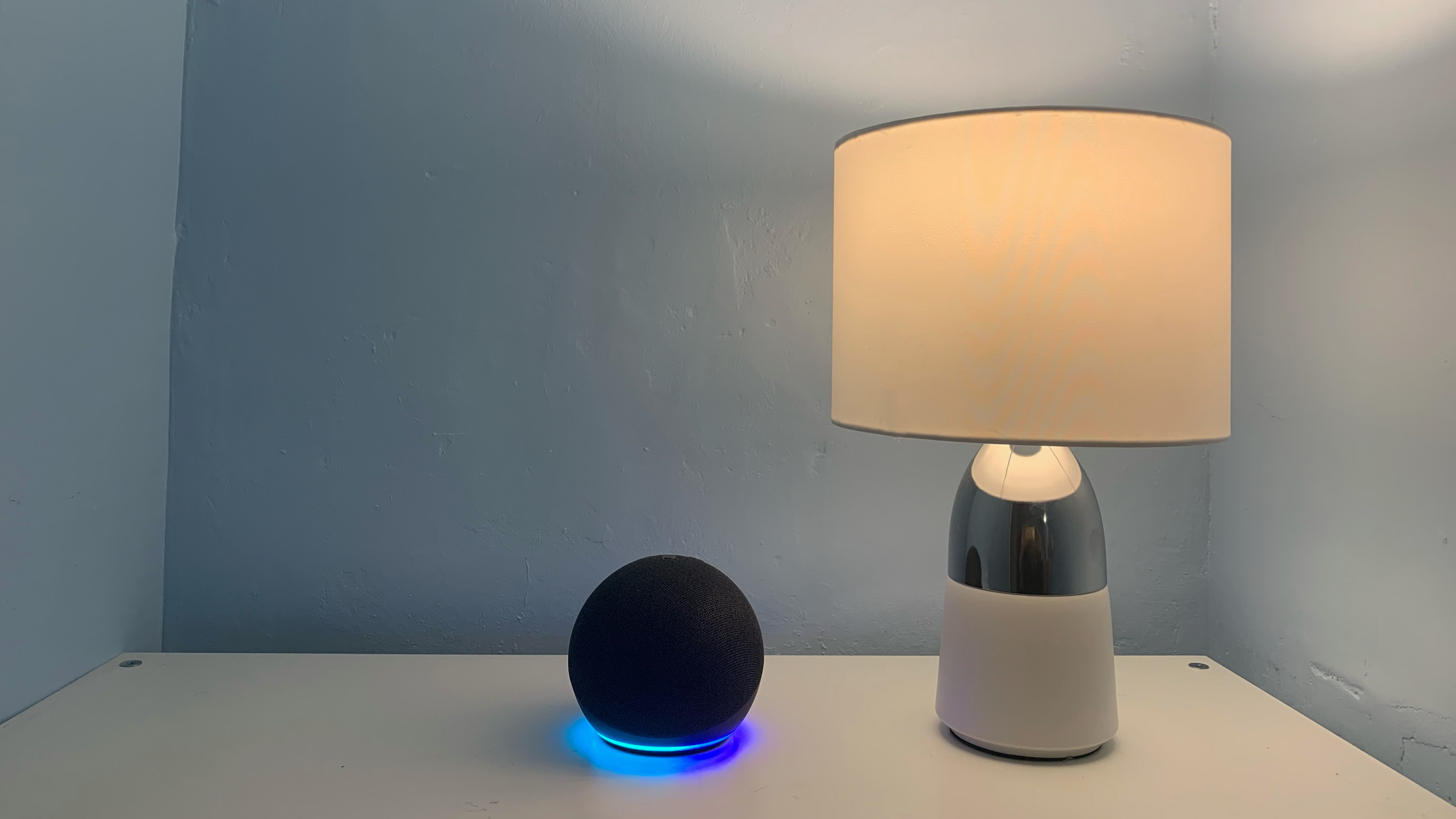
Adding voice controls to the Hue Lustre lights was straightforward too. I was quickly and easily able to set up and start using my Amazon Echo Dot smart speaker by connecting it with the Philips Hue app and then issuing voice instructions to switch the Hue Lustre smart bulbs on and off.
I was able to use the Hue app to make both the Hue Lustre smart bulbs turn on and off by calling out ”Alexa, turn off first light; turn on second light” and also turn off all lights at once. Although Philips suggests that the speaker can only be used to voice control the Hue smart bulbs if the device is in the same room, once set up I was able to use voice commands to activate the lights from neighbouring rooms separated by a brick wall, and to do so from different Alexa speakers.
I also really liked the routines that can be set up to gently wake you with light that increases in brightness over the course of 20 minutes. A discreet but audible notification on my iPhone confirmed that the Hue app had clicked into action. There’s an equivalent routine for Night Time whereby the Hue lightbulb automatically turns off at a preset time having dimmed over the duration of several minutes, helping you nod off.
Since I’d set up my Hue Lustre smart light bulbs in different rooms, I made use of the option to tailor the app settings so only the bulb in my bedroom applied these Wake Up and Night Time routines. By toggling which smart bulb I wanted to customise, I was also able to apply settings for the downstairs light to come on at set times, effectively using it to suggest someone is at home. The countdown timer is a neat idea, but I wandered out of the room at the critical moment that it visually reminded me to check on dinner by flashing the nearest Hue bulb on and off for 30 seconds. I’ll stick to my Alexa kitchen clock for that task.
Should I buy the Philips Hue Lustre White?
| Attributes | Notes | Rating |
|---|---|---|
| Value | This is one of the most affordable smart light bulbs available right now. | 4.5 / 5 |
| Design | It has a range of light fitting versions plus Bluetooth connectivity for straightforward setup. | 4 / 5 |
| Setup & app | It’s easy to set up and offers a rich user experience with plenty of preset light options. | 4.5 / 5 |
| Performance | It delivers ample brightness, responsive and works with Alexa and Google Home. | 4.5 / 5 |
Buy it if…
Don’t buy it if…
Also consider
| Header Cell – Column 0 | Nanoleaf Matter Essentials A19 smart bulb | Philips Hue Color Ambiance A67 – E27 / ES smart bulb |
|---|---|---|
| Starting price | From $19.99 / £19.99 / AU$39.99 per bulb | $54.99 / £54.99 / AU$119.95 |
| Wattage | 8.5W | 8.5W |
| Color range | 16 million + | 16 million + |
| Brightness | 1100 lumen (806 average) | 1,600 lumen |
| Connection type/s | Matter, Thread, Bluetooth | Bluetooth, Zigbee |
| Control Options | Nanoleaf App (Android & iOS), Apple Home, Google Home, Amazon Alexa and Samsung SmartThings | Philips Hue App, Amazon Alexa, Google Assistant, Apple HomeKit, Microsoft Cortana |
| Lifetime | 25,000 hours | 25,000 hours |
How I tested the Philips Hue Lustre White
- Tested Philips Hue app with iPhone 8 and Android Galaxy S
- Connected two smart bulbs using home Wi-Fi network
- Additionally tested using Google Home and Amazon Alexa apps
Before completing the setup I checked the privacy and security policies, and mentally noted the number of prompts to upgrade to a Bridge that the Hue app offered. Opt-outs were easy and the privacy by default approach pleasing. I checked power consumption (the Hue’s G rating is the highest on the traffic light system), standby and lamp life span. No software updates were needed for the phones or offered for the Hue app or the third-party ones I used for the review.
I first tried out a single smart bulb with a bedroom lamp, noting that it took only a few seconds to recognise the bulb and connect it to my home Wi-Fi network and 1Gbps broadband. I ran through the light intensity settings, tried setting a number of scenes – default ones such as Dimmed and Relax as well as the custom ones – and used the in-app slider to adjust light levels. The used the countdown timer and both the wake-up and night-time routines overnight, successfully being gently woken by the Hue light. I also used the timer settings to set automatic switch on times having moved the lamp to the lounge. Next, I added a second lamp, positioning this downstairs where it should have been beyond the range of the Alexa voice assistant I’d synched both Hue bulbs with, but found it continued to control both Hue smart bulbs individually and separately.
Read more about how we test
[First reviewed September 2023]