


Two-minute review
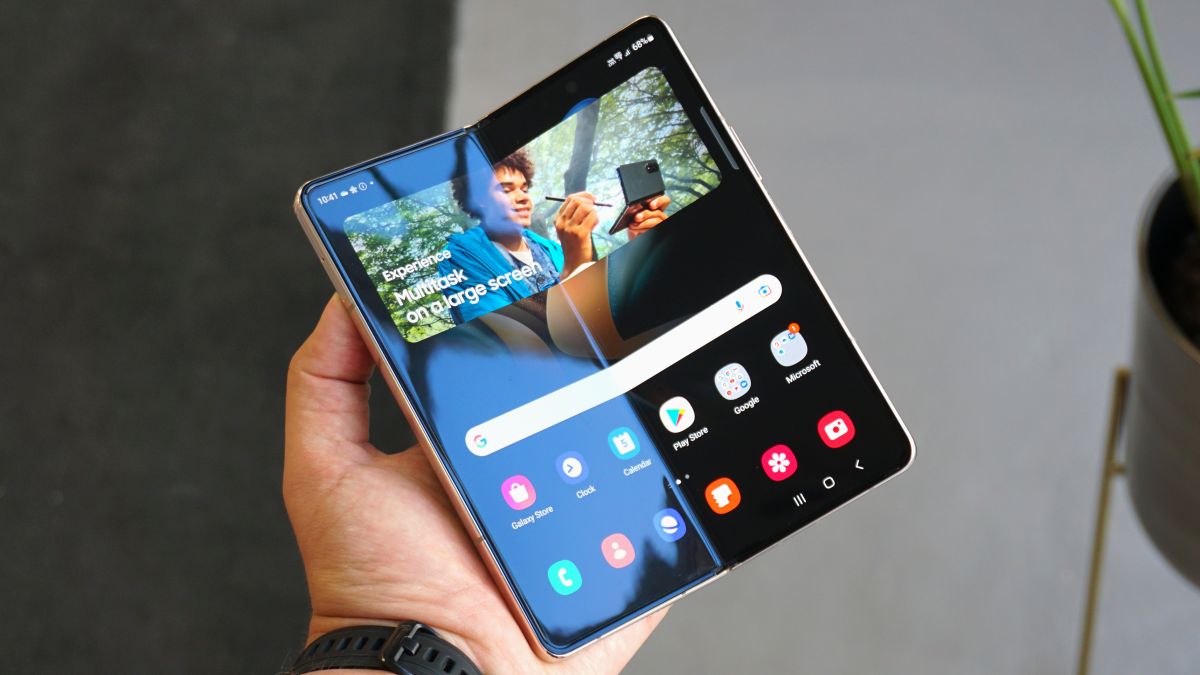
Is it possible that we’ve reached the age of refinement in the foldable phone story? With the Samsung Galaxy Z Fold 4, Samsung apparently hasn’t tried to reinvent the genre or radically alter the foldable’s display and design. Instead, this latest Galaxy Z device brings a number of small-but-welcome design enhancements over the Z Fold 3, plus a new processor and upgraded camera array.
All of this adds up to a handset that’s lighter and thinner than its predecessor, and generally even better equipped to serve as a traditional, 6.2-inch Android 12 handset that just happens to pack an expansive, flexible 7.6-inch display inside.
This is a do-everything device that presents few compromises. Yes, the Samsung Galaxy Z Fold 4 is, when folded, noticeably thicker than your average smartphone (it’s nearly double the thickness of the Samsung Galaxy S22), and the cover screen is a little narrower than the displays on most Android handsets, but these are small prices to pay for a phone that’s productivity-friendly while being able to slip easily into a pocket when folded.
Samsung has really leaned into the productivity possibilities via an update to its One UI software. Now, in addition to supporting multiple apps simultaneously (up to four at a time on screen, including one ‘floating window’), you have a new customizable app dock at the bottom of the screen, from which you can drag out apps to launch them. It even supports S Pen input, but more on that ‘yes, but with a big caveat’ detail later.
The cameras are excellent and familiar, with Samsung essentially borrowing the Galaxy S22’s camera array and slapping it on the back of the Z Galaxy Fold 4. Do we wish that a $1,799 / £1,649 / AU$2,499 handset came with the absolute-best camera technology Samsung has to offer (think the Galaxy S22 Ultra’s stellar offering)? Of course, but we don’t think many people will miss the 10x zoom or 100x Space Zoom (digitally assisted) options.
Power-wise, the Z Fold 4 features the best mobile CPU Qualcomm currently has to offer, the Snapdragon 8 Plus Gen 1, backed by 12MB of RAM. This chip isn’t quite as powerful (benchmark-wise) as Apple’s A15 Bionic, but Qualcomm is closing the gap and, based on our testing, the chip has all the power you need for most typical tasks and enough headroom for more CPU-intensive ones, like editing 8K video streams.
This is also an able gaming device, and a real pleasure to use when it comes to a good Netflix binge.
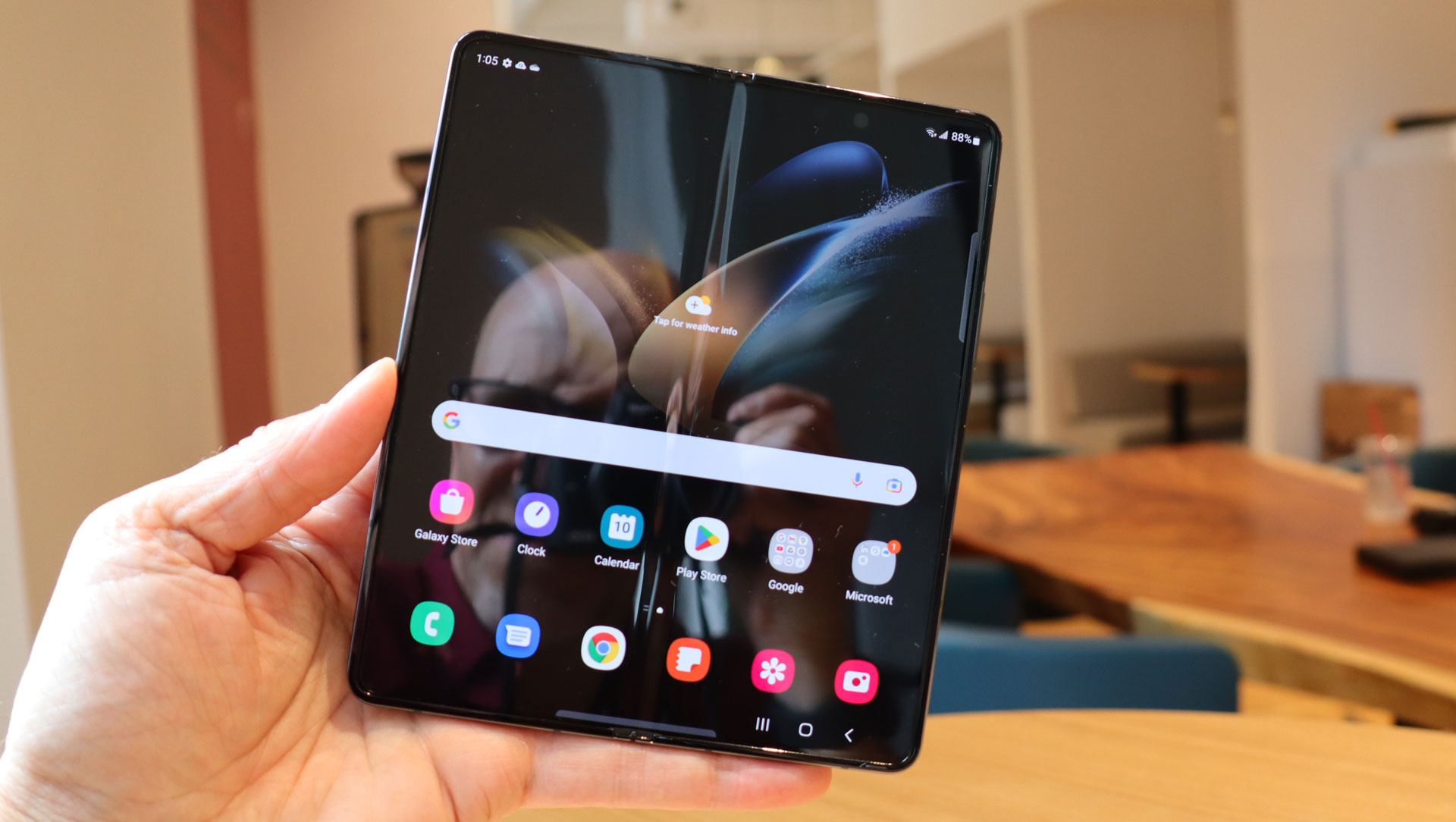

It’s an attractive handset, both when it’s closed and you’re looking at the cover screen, and when unfolded into its larger tablet mode. Because the hinge is less prominent than on the Z Fold 3, you can almost fool yourself into believing that this is just another non-folding handset. Sure, the crease on the inside screen is still visible, and you’ll feel it when swiping your fingers along the display, but again these are fair trade-offs for having a folding glass screen.
We do have some concerns about battery life. The 4,400mAh battery makes it through a typical work day, but our tests put it at roughly 13 hours. That’s nothing to sneeze at, but for a device of this size, and with such an efficient chip, we were hoping for more. The reality is, though, that a tablet screen will eat more battery life than even the largest standard, 6.8-inch smartphone screen.
It’s an expensive phone – especially if you go for more than the base 256GB of storage, although if deals show up further down the line it’ll become a more attractive proposition. But the Galaxy Z Fold makes it clear that foldables are here to stay, and that Samsung is heavily invested in the form factor.
Samsung Galaxy Z Fold 4 price and availability
- 12GB RAM / 256GB: $1,799 / £1,649 / AU$2,499
- 12GB RAM / 512GB: $1,919 / £1,769 / AU$2,699
- 12GB RAM / 1TB: $2,159 / £2,019 / AU$2,999
Samsung unveiled the Galaxy Z Fold 4 during its August 10 Unpacked event, where it also introduced its other foldable update, the Samsung Galaxy Z Flip 4, along with the Galaxy Watch 5 and Watch 5 Pro, and the Samsung Galaxy Buds 2 Pro.
The Samsung Galaxy Z Fold 4 went up for pre-order immediately after the launch with a release date of August 26. There are three color options: Gray, Phantom Black, and Beige (sorry, no Bora Purple). Our review unit is a moody Gray, as you can probably tell from the pictures.
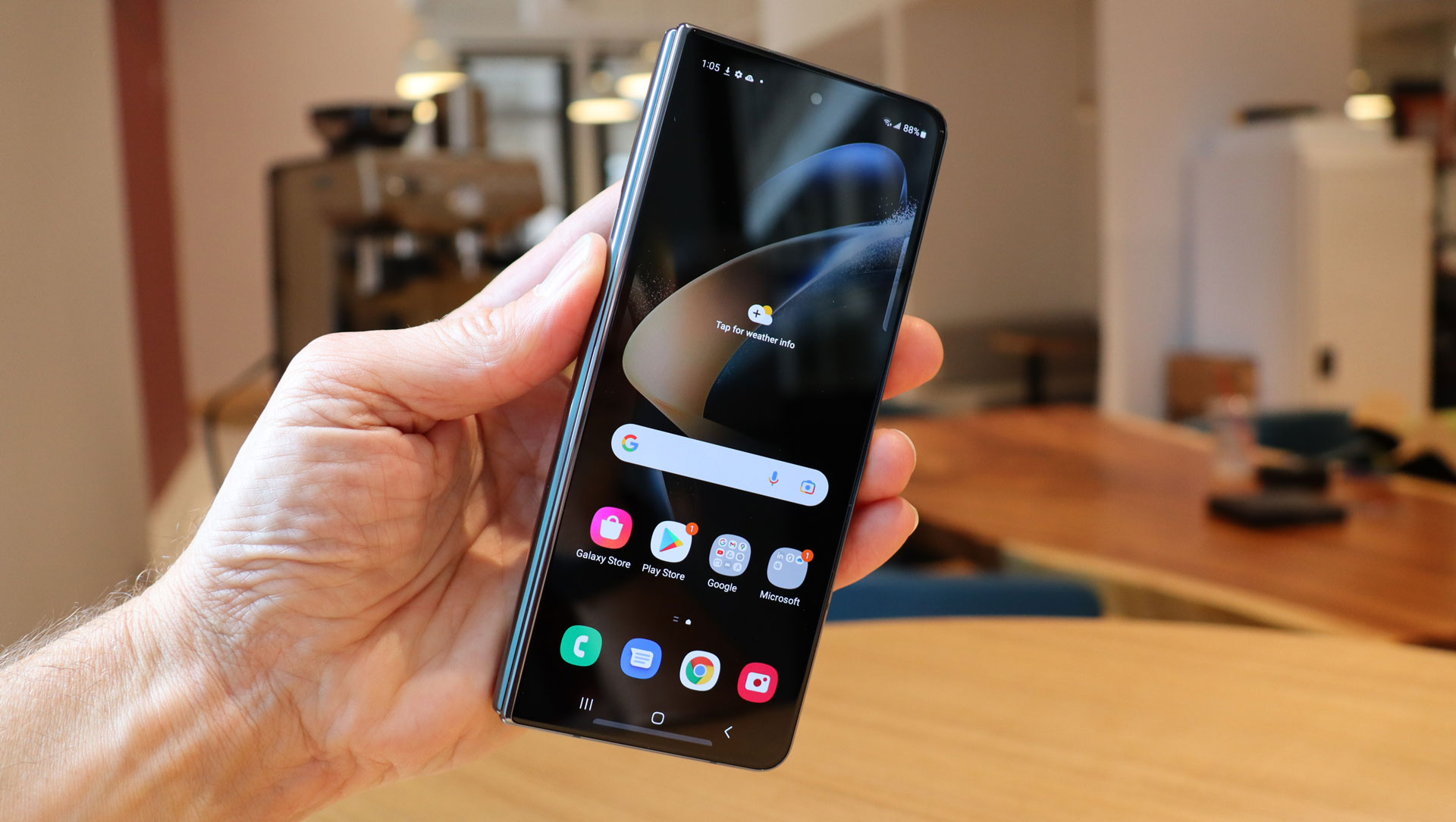
The price is the second clue, beyond that foldable design, that the Samsung Galaxy Z Fold 4 is not like other Android handsets.
The starting price of $1,799 / £1,649 / AU$2,499 puts it out of reach for most smartphone buyers. Even Apple’s top-of-the-line iPhone 13 Pro Max starts at a more approachable $1,099 / £1,049 / AU$1,849 – but that phone only has one screen and can’t transform into a tablet.
There are some extraordinary trade-in deals available, some of which cut the price of the handset by quite a bit. Our advice is, don’t dismiss the Galaxy Z Fold 4 out of hand because of the price. First, figure out if it’s the right phone for you, then weigh your deal options.
Samsung Galaxy Z Fold 4 design
- Not a big upgrade over the Samsung Galaxy Z Fold 3
- Thinner and lighter than Z Fold 3
- The hinge does a better job of fading from view
At this point, Samsung clearly believes it has a pretty good foundational structure for its premiere folding device, and that’s why the Z Fold 4 isn’t radically different from the Samsung Galaxy Z Fold 3.
That said, there are actually lots of small build and design differences, some of which you can plainly see while others are hidden beneath the frame.
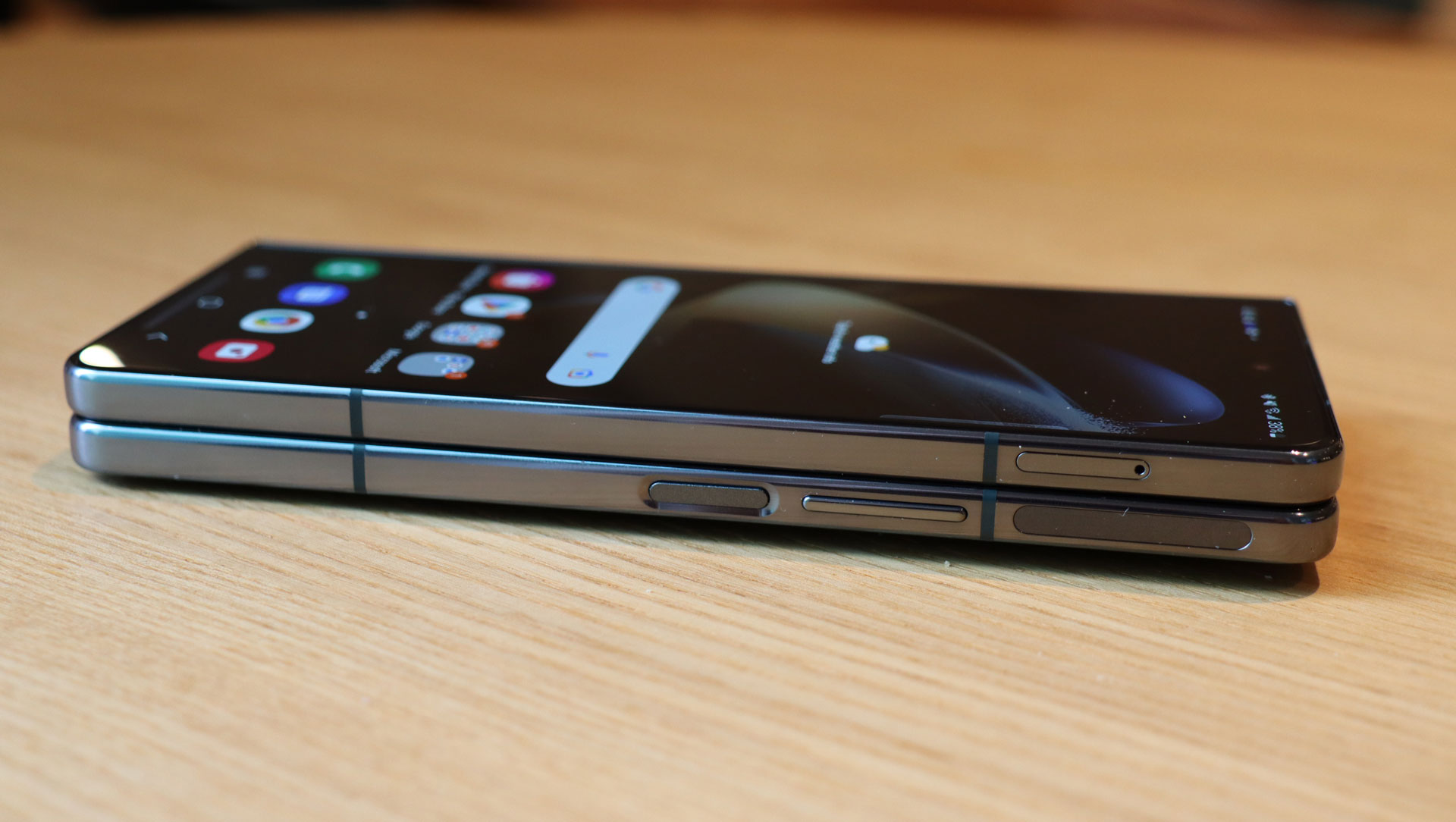
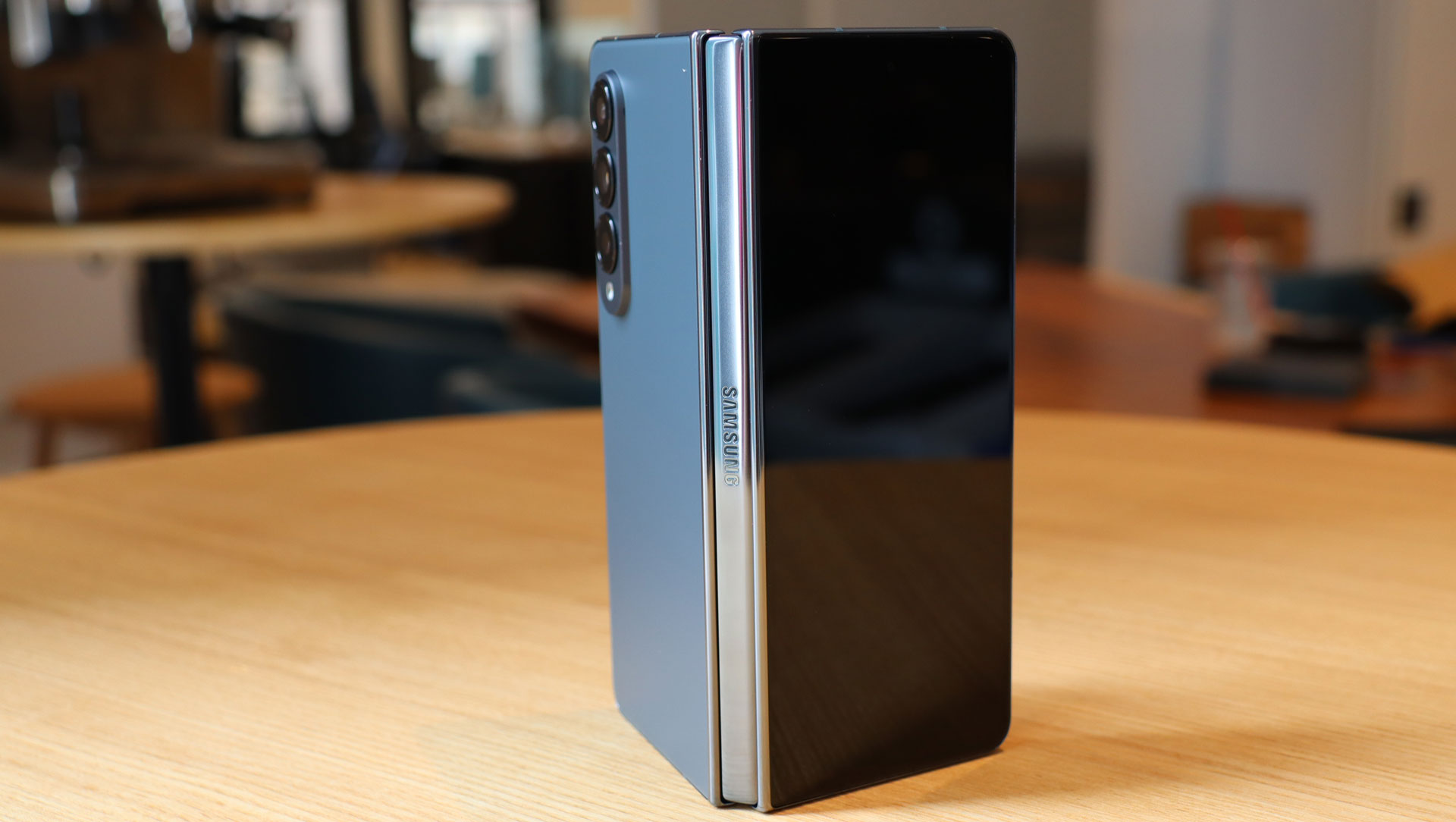
Folded, the device is still 67.1mm wide. But the shape of the product has changed so that from certain angles the hinge is less noticeable.
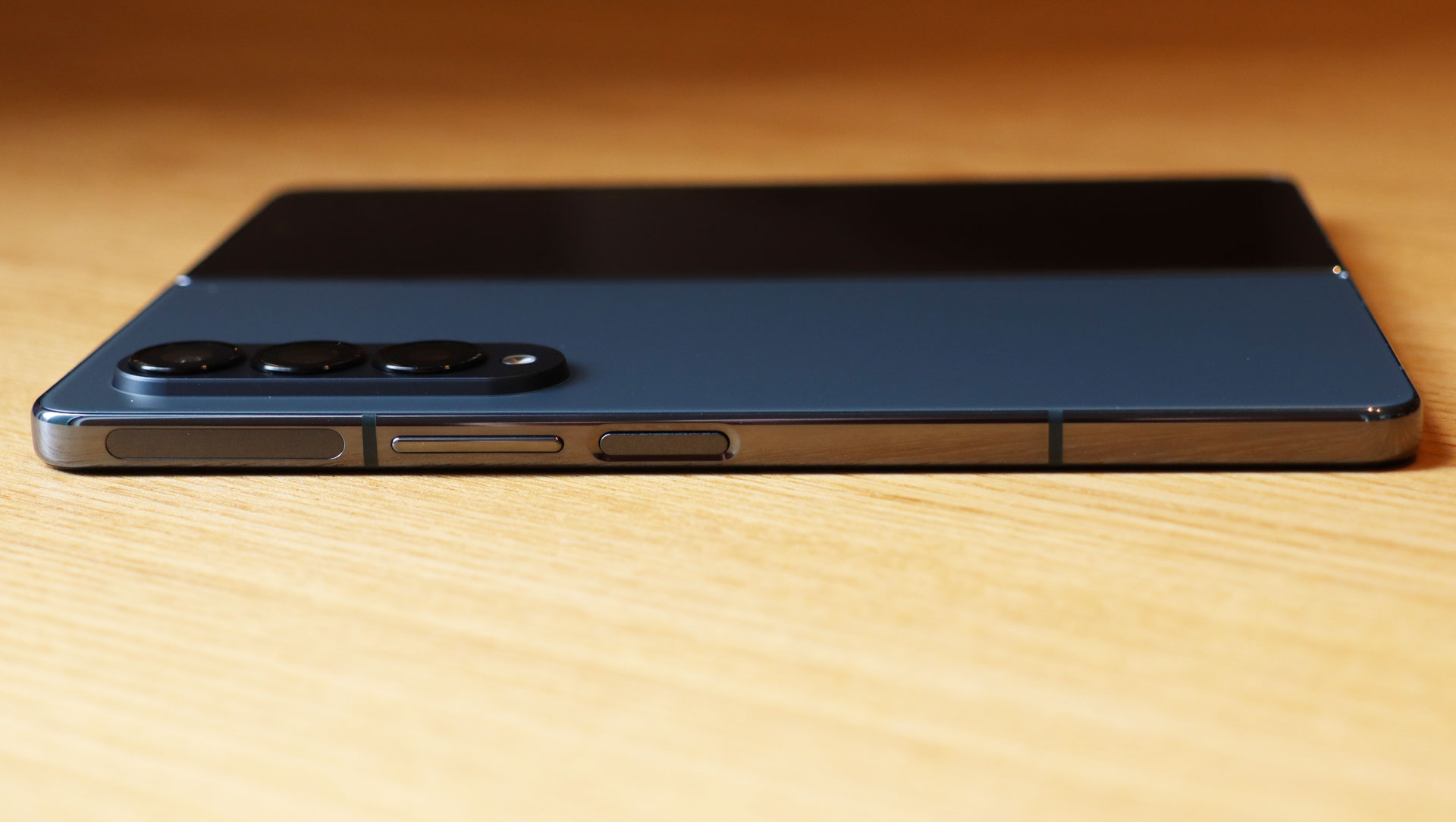
The handset is 155.1mm long, which is almost 3mm shorter than the Z Fold 3. This gives the device a more of a conventional phone shape rather than the odd-looking oblong shape of previous Folds.
More importantly, this is now a thinner and lighter device. Instead of the Galaxy Z Fold 3’s 6.4mm thickness (when unfolded), the table mode is now just 6.3mm thick. That’s not a huge difference, but it also brings the weight down to 263g, eight grams lighter than the Galaxy Z Fold 3.
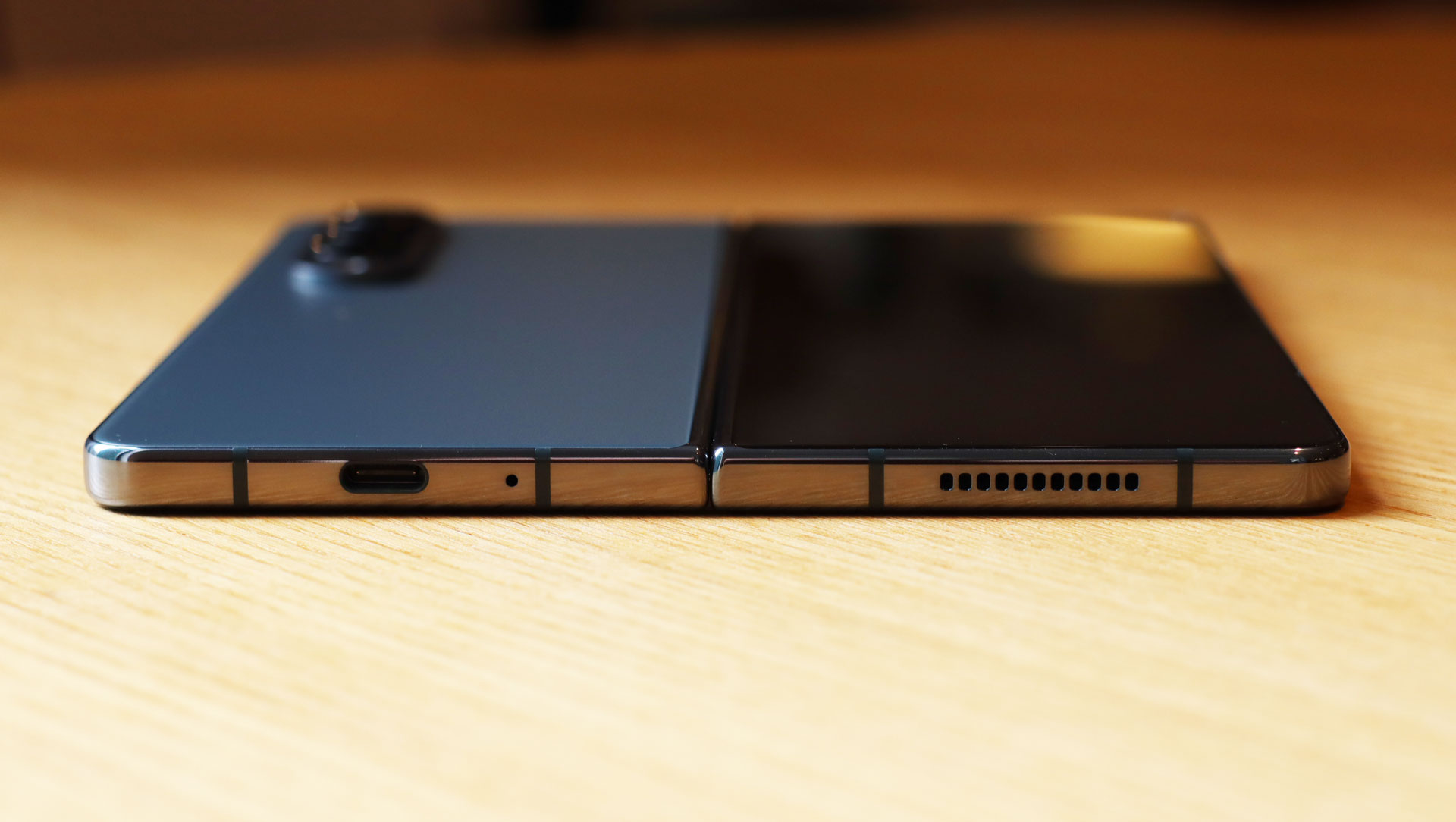
The buttons are ports are standard fare for a smartphone, but the folding design does mean the placement isn’t typical. There’s the SIM slot along the top edge, speaker and mic holes along one edge, a speaker grille, mic hole, and USB-C port along the bottom and, on the other edge, a volume rocker and power and sleep button that doubles as your fingerprint sensor, which happens to work quite nicely. I registered multiple fingers. The phone also supports face ID biometrics, but you’re warned that it’s less secure than other methods.
When folded, the Galaxy Z Fold 4 can feel a little thick and heavy in the hand compared to most other Android handsets. It’s not uncomfortable, though.
Unfolded, this is a thin and light tablet. The main, noticeable difference between it and, say, an iPad mini is that the bezel surrounding the screen has a tiny raised lip to keep the bendable screen covering in place and protected.
The re-engineered hinge is a real highlight here. No longer does it stick out from the side of the phone when folded. Instead, it’s hugging the frame thanks to a new hinge design that jettisoned the gears in favor of a flatter mechanical design. It looks great and, at least in the time we’ve been using the phone, it works smoothly. As you’re bending the phone it feels solid, yet pliant, as if to reassure you, “Yes, this is what you’re supposed to do with me.”
The frame is IPX8 rated, which means it’ll survive 30 minutes in one meter of water, but, due to the hinge mechanics, it’s not dust-resistant.
Samsung Galaxy Z Fold 4 displays
- Wider 6.2-inch display resembles a normal flagship screen
- Yes, the crease is still there
- Adaptive refresh rates on both displays
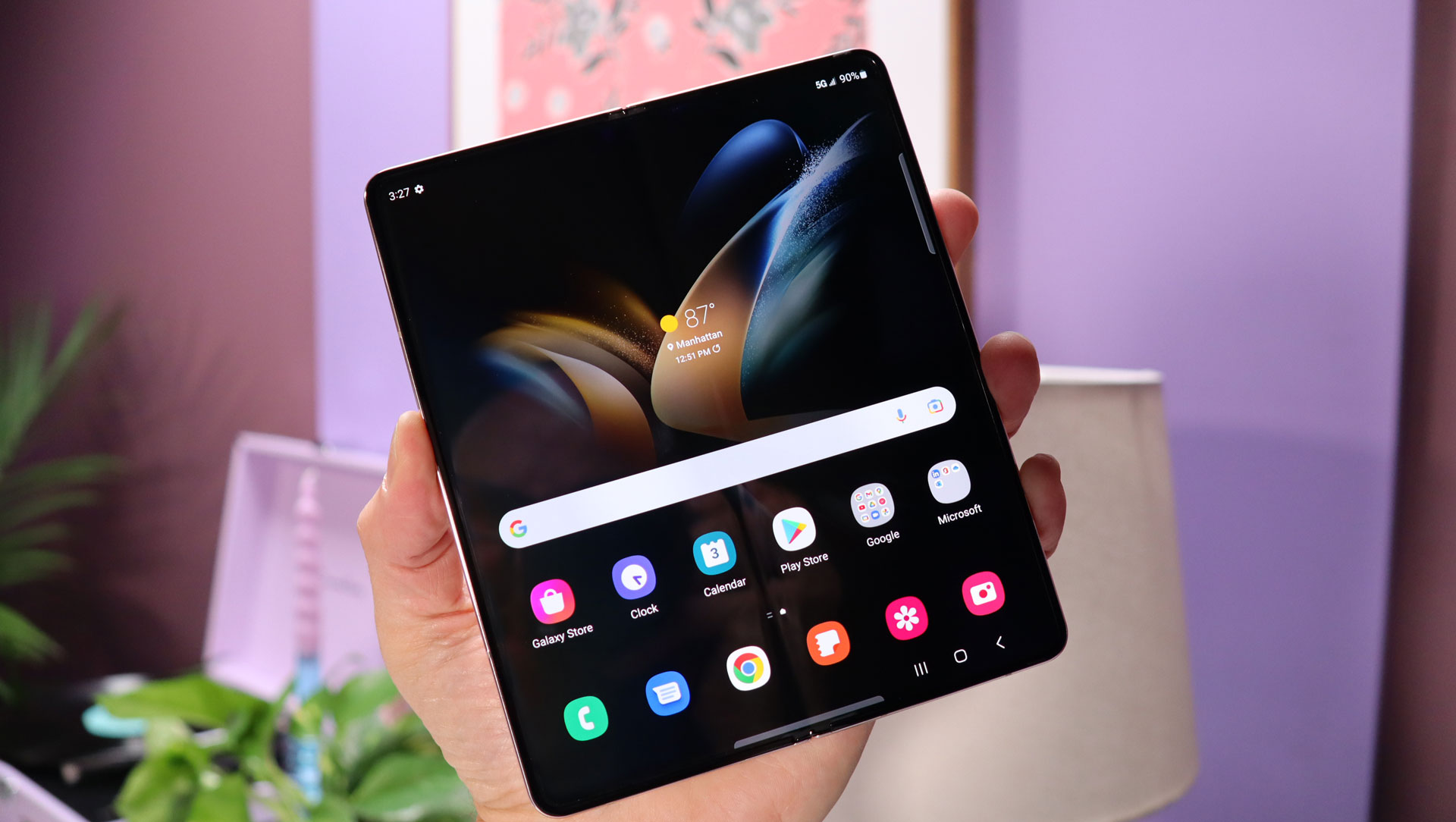
Let’s start on the inside with the main screen.
It’s a 7.6-inch Dynamic AMOLED display with 2176 x 1812 resolution, where the Z Fold 3 screen was 2208 x 1768; it’s a nominal change that’s mostly due to the updated chassis. It also supports an adaptive refresh rate of 1 to 120Hz. The low end of the range is useful for saving battery life by not refreshing the screen when it’s not needed, while the high end means smoother gameplay and video action.
The defining feature of this screen is, of course, that it folds, and Samsung has done some re-engineering here. Under the strengthened ultra-thin flexible glass, Samsung has removed a metal plate, which helps to make the phone thinner and lighter, and replaced it with a strong mesh. That’s not stuff you can see. What you can see and feel, though, is the crease. It shows up when the screen is dark, and if you run your finger across the screen you’ll feel it, too.
Generally, it’s unnoticeable when watching video, but you might occasionally detect a slightly darker band running through your Netflix selection.
There is a camera on this main display, but it’s usually hidden by a tiny disc of pixels that the phone can turn on and off. When it’s time to use the camera, the punch-out hole suddenly appears, highlighted by an illuminated ring. Like the crease, you usually won’t even notice this little circle when it’s not illuminated, but on some brighter images and scenes, it can be visible.
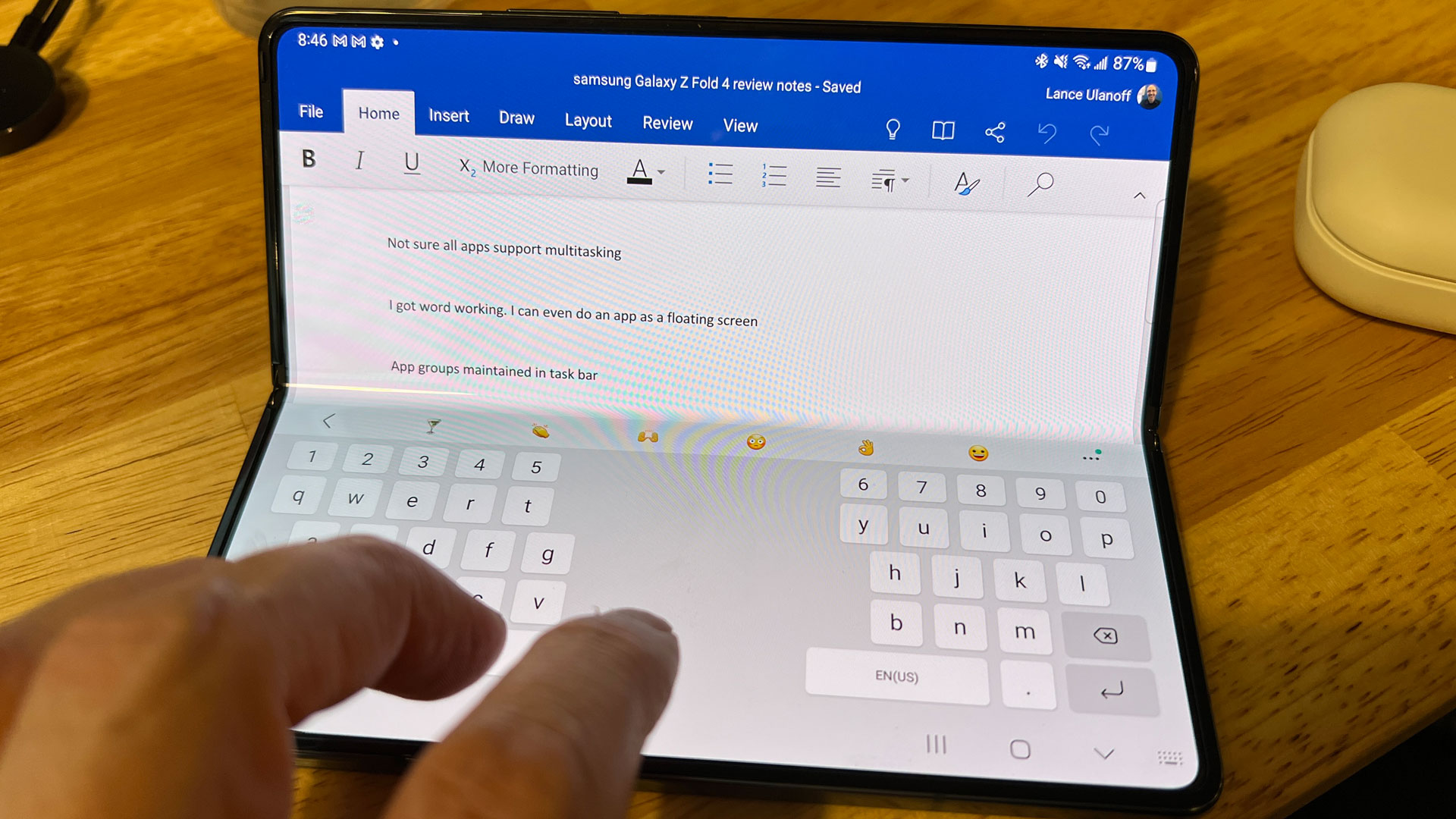
Overall, this is still an excellent screen with all the real estate you need to do everything from taking pictures to putting the device in flex mode (basically bent into an ‘L’ shape), which lets you use one half as a keyboard and the other as your screen, laptop style.
The cover screen has also gotten an upgrade. It’s still a 6.2-inch Dynamic AMOLED screen with a 2316 x 904 resolution (compared to the Z Fold 3’s 2268 x 832), but now it’s 2.7mm wider than the cover screen on the Galaxy Z Fold 3. It also has an adaptive refresh rate, though in this case it’s 48Hz to 120Hz.
As on the main screen, there’s a punch-hole cutout for the selfie camera, although this one isn’t hidden with ‘magic’ pixels.
Thanks to the new, larger dimensions, this is now a genuinely usable and useful screen. It’s not multi-tasking-friendly, but it’s good for email, web browsing, chat apps, social media, and as a viewfinder for the camera array on the back.
Overall, we’re pleased with the updated cover display, which gives the whole device a more ‘traditional handset’ look and feel.
The cover screen has also gotten an upgrade. It’s still a 6.2-inch Dynamic AMOLED screen with a 2316 x 904 resolution (compared to the Z Fold 3’s 2268 x 832), but now it’s 2.7mm wider than the cover screen on the Galaxy Z Fold 3. It also has an adaptive refresh rate, though in this case it’s 48Hz to 120Hz.
As on the main screen, there’s a punch-hole cutout for the selfie camera, although this one isn’t hidden with ‘magic’ pixels.
Thanks to the new, larger dimensions, this is now a genuinely usable and useful screen. It’s not multi-tasking-friendly, but it’s good for email, web browsing, chat apps, social media, and as a viewfinder for the camera array on the back.
Overall, we’re pleased with the updated cover display, which gives the whole device a more ‘traditional handset’ look and feel.
Samsung Galaxy Z Fold 4 cameras
- New S22-influenced camera array
- Selfie cameras appear unchanged
- Rear camera array gets a 50MP wide-angle camera
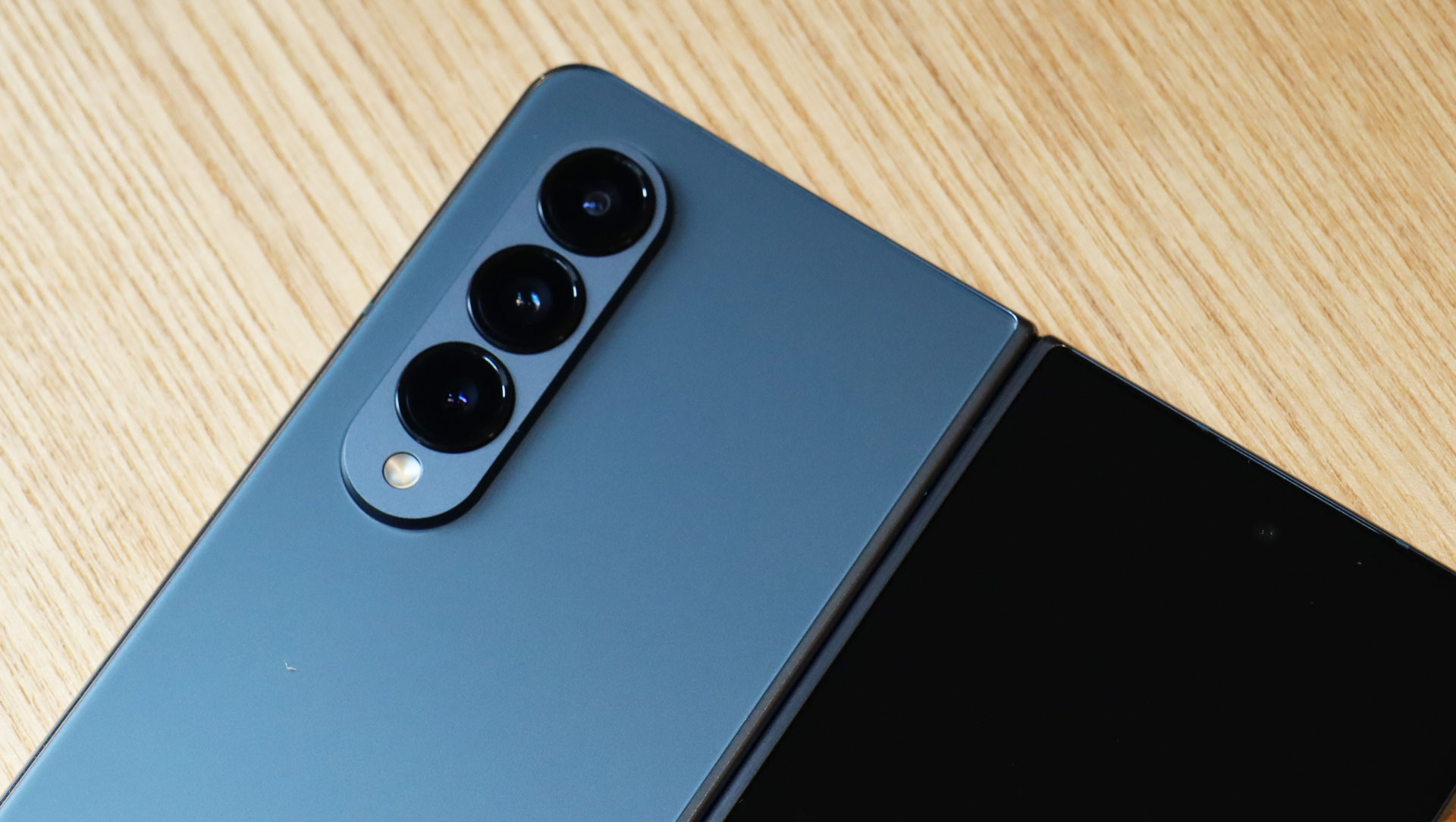
As with the Samsung Galaxy Z Fold 3, which used the Galaxy S21’s camera array, the Z Fold 4 adopts its main camera array from the Galaxy S22. It has the same sensors underneath (though they’re backed by a slightly more powerful CPU here), and the same lenses.
There’s also a selfie camera on the cover screen, and a low-grade selfie camera under the large main screen.
Here’s the full list of cameras:
- 12MP ultrawide with 123-degree field of vision F2.2
- 50MP Wide F1.8
- 10MP telephoto F2.4
- Cover: 10 MP F.2.2
- Main screen: 4MP F1.8
All of these cameras are quite good, especially the triple array, matching the expectations we built after reviewing the Samsung Galaxy S22.
The light-gathering capabilities are exceptional, the colors pop (maybe a tiny bit too much, but that’s Samsung for you), and the portrait mode is exquisite.
3x optical zoom is effective and the digitally assistant and optically and digitally stabilized Space Zoom is also quite good.
Low light and night photography are also impressive. See our sample image below.
Slight disappointment sets in, though, when you consider that your $1,799 folding phone does not have the best cameras Samsung has to offer. You’ll find those on the stellar Samsung Galaxy S22 Ultra. So there’s no 108MP main camera or 10x optical zoom here, and Space Zoom tops out at 30x.
The selfie camera on the cover screen is good, and the one on the main screen is better than serviceable – we used it for photos and in a Google Meet session.
There are lots of video recording options, all the way up to 8K 60fps, although that’s only useful if you have a good 8K TV to display it. 4K video looks great, and you can also record in slow-mo.
The camera app offers quick access to a wide array of shooting options, including Pro Mode, which lets you control settings such as shutter speed and white balance.
Camera samples
Samsung Galaxy Z Fold 4 performance and specs
- Packing Qualcomm’s top-end Snapdragon 8 Plus Gen 1 CPU
- Not as powerful as modern iPhones
- 12GB of RAM and starts at 256GB of storage
It’s a bit odd that Samsung’s foldable line now has slightly better CPUs than its S22 flagship line, but such is the world of silicon and smartphone timing.
We’re happy that the Galaxy Z Fold 4 has Qualcomm’s top-of-the-line Snapdragon 8 Plus Gen 1 CPU, as it needs all the power it can get given the multi-tasking gymnastics it’s capable of.
Geekbench 5 benchmarks bear out the new CPU’s somewhat snappier performance compared to the 8 Gen 1. It’s not a huge difference, but it feels to us that the phone’s ability to edit 8K 60fps video at once in Adobe Premier Rush speaks to that extra kick (and it doesn’t hurt that Samsung has backed the chip up with 12GB of RAM). The raw numbers still don’t beat Apple’s A15 Bionic, but that’s immaterial – there’s more than enough power on tap herefor all your cover and main screen tasks.
Samsung Galaxy Z Fold 4 software
- Android 12
- Has Samsung’s One UI laid over the top
- Multiple multi-tasking options

Samsung does an excellent job of integrating its key One UI features and apps into the Fold experience, while still keeping these out of the way of the stock Android Google apps you really want.
But we’re particularly impressed with the effortless handoff between the cover screen and the main flexible display. The phone swaps screens instantly, so you can move the same app between the main and cover displays without waiting for it to re-load. It can work like a normal phone with the cover screen, a tablet with the main screen, or something in between if you fold the screen to a 90-degree angle.
The Galaxy Z Fold 4 knows if it’s bent at a 90-degree angle and, if you’re in an app like Word, puts the split keyboard on the bottom half of the display. It’s not a perfect experience, since tapping in the crease is best avoided, but it works. It’s not unlike using a very small Android laptop. The app dock not only lets you drag and drop apps, and keep ones you use often in the dock, but it can remember app groups and let you instantly access and reopen them with a tap. Very smart.
The Samsung Galaxy Z Fold 4 supports Samsung’s S Pen, but not just any S Pen. When we tested the S22 Ultra S Pen and tapped it on the screen, the Z Fold 4 recognized it instantly, but then popped up a rather scary message that said you can only use S Pens specifically designed for the Z Fold screen. We did not have one of those lying around to test with.
Samsung Galaxy Z Fold 4 battery life
- 4,400mAh might be a little undersized for this phone
- It made it through most of a very long day
- Fast wireless charging works well with the right charger (none are included)
We spent a very busy day with the Galaxy Z Fold 4, doing everything from video conference calls to word processing, playing games, editing video, watching Netflix shows… and sometimes doing all of these things at once.
We also watched as the battery life drained perhaps a little faster than expected. At 4,400mAh, this isn’t a tiny battery, but it does have to do the work of powering two screens, though not simultaneously.
The battery lasted approximately 13 hours, which is pretty good, though we would’ve liked to have seen more. Still, getting that far is probably a testament to the 8 Plus Gen 1’s power-management capabilities.
The phone supports fast wired and wireless charging, and at one point we added back 30% of power in just 15 minutes (using a Samsung 65W charger, which is not included). The phone can also perform wireless power-sharing duties; however, I could only get that to work with the Samsung Galaxy Buds 2 Pro case and not with the Galaxy S22.
Let’s not forget that this is a 5G phone. Our model was running on T-Mobile’s network in the US, which has pretty good 5G coverage, but the speed was, as you would expect, all over the map. Still, it was good enough to stream HD-quality Netflix on my train ride home.
Samsung Galaxy Z Fold 4 score card
| Attributes | Notes | Rating |
|---|---|---|
| Design | Smasung is locked into a great and still-evolving foldable design. | 4.5/5 |
| Display | Cover display is bigger and better and the main screen is great, despite the still obvious crease. | 4/5 |
| Performance | The Qualcomm Snapdragon 8+ Gen 1 is a powerful mobile CPU. | 5/5 |
| Camera | A great rear camera array and aover average camera on the cover. | 4/5 |
| Battery | Is the battery a tiny bit small for the Galazy Z Fold 4? | 3.5/5 |
| Software | Samsung has done some nice work here to support tablet-style operations. | 4/5 |
| Value | This is an expensive phone that doesn’t even include a charging brick, but there are many deals to be had. | 4/5 |
Should I buy the Samsung Galaxy Z Fold 4?
Buy it if…
Don’t buy it if…
First reviewed August 2022