


Nanoleaf Matter Essentials smart bulb: one-minute review
The Nanoleaf Matter Essentials smart bulb is a minor update to the original bulb that was launched in 2021. Not a lot has changed with the new smart bulb, with the sole exception of the addition of Matter connectivity. This makes Nanoleaf’s new light a more futureproof option for a smart home setup.
Before I go into the smart bulb review itself, let’s quickly run through why Matter matters. It’s a connectivity protocol that allows devices from different brands to interact with one another. This makes things like lightbulbs, appliances and other smart gadgets compatible with more brands, and in the case of the Nanoleaf Essentials smart bulb, means it can be controlled with more smart home hubs – Google Home, Amazon Alexa, Apple Home and Samsung SmartThings. If you ever decide to switch platforms, you won’t have to replace any gadgets that are Matter-enabled.
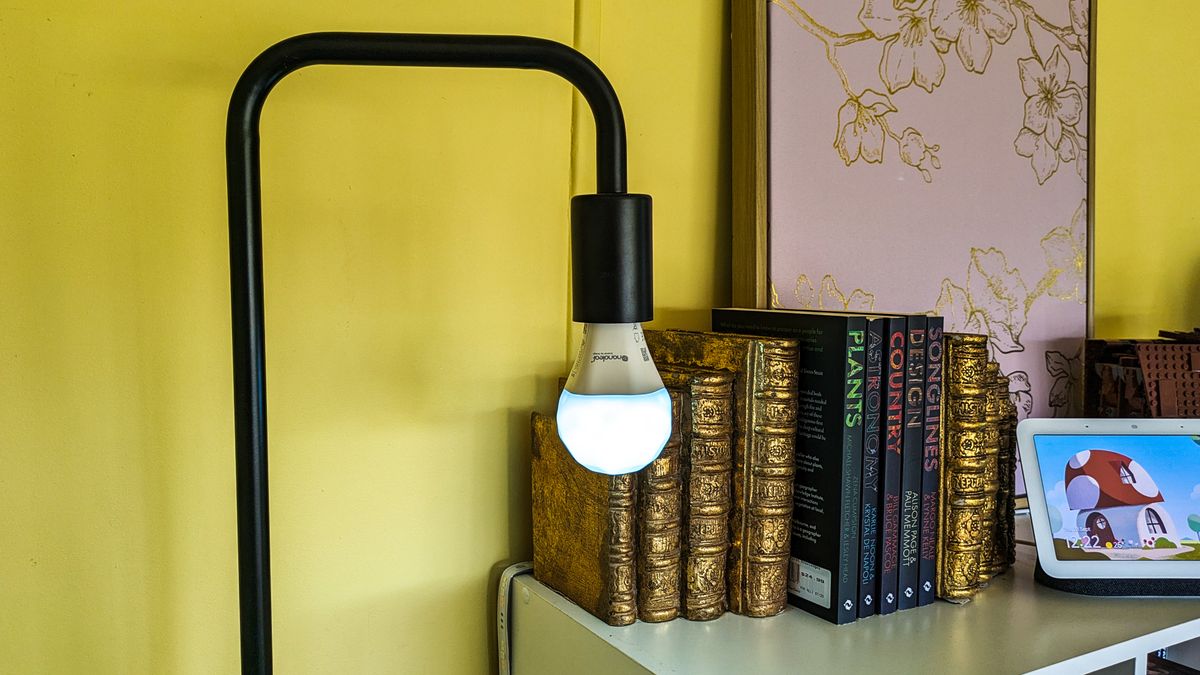
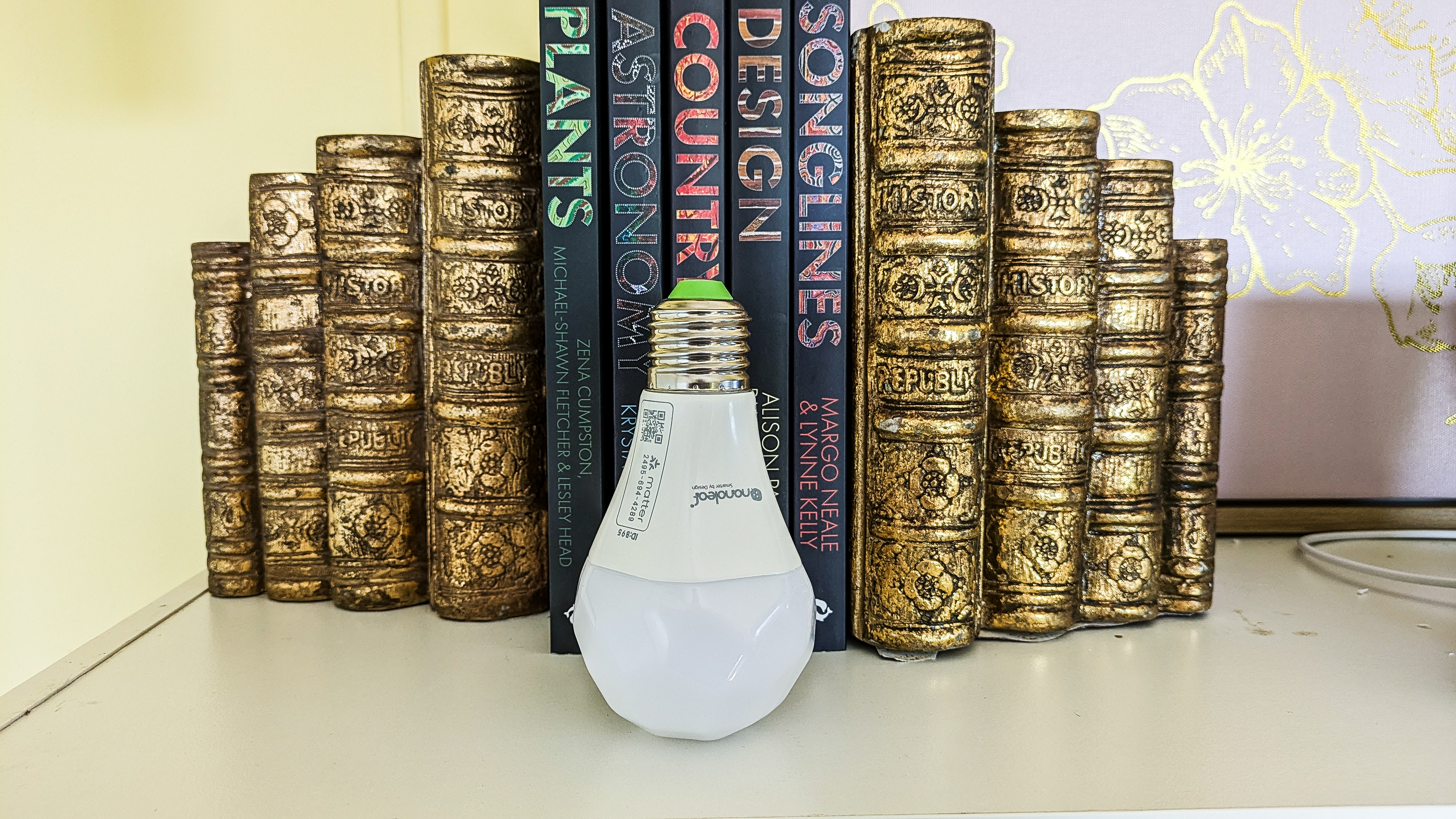
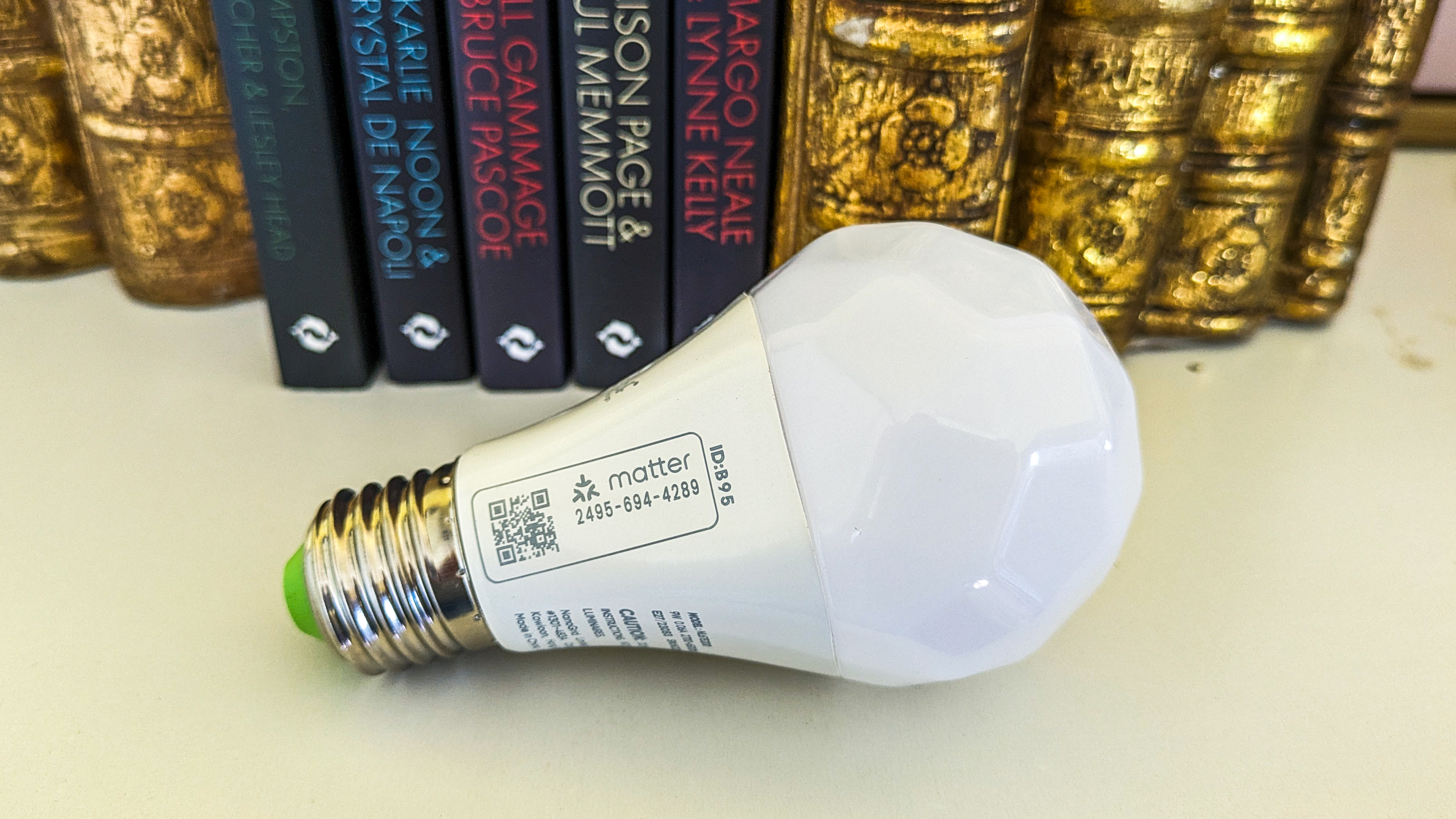
Physically, the Nanoleaf smart bulb hasn’t changed – the Matter Essentials smart bulb keeps the unique polyhedron design from the original version, though there are a few changes to help differentiate it from the older bulbs, like the Matter symbol stamped onto the side.
It’s the software that really counts here, a change that allows the bulb to integrate into your smart home ecosystem, or start a future-proof automated home from scratch. When initially connecting the smart bulb to the app, Nanoleaf will scan for any firmware updates and prompt you to get them. There’s four in total as of the end of September 2023, each improving the reliability and response for Matter pairing, and also adding Circadian Lighting to the Matter-compatible Essentials range (which includes an updated lightstrip as well).
Nanoleaf Essential’s Matter upgrade wasn’t as seamless as it claimed when I first tried adding the A19 | E26 bulb (or A60 | E27 as the fitting is denoted in Australia where the light was tested) to my smart home – there were initial issues connecting the bulb to my Google Nest Hub 2, which was already connected to its iOS app on an Apple iPhone, which felt counterintuitive to how Matter is supposed to work. However, as of August, that issue has been resolved thanks to further firmware updates that were rolled out from both Nanoleaf and Google, and now I can control the bulb with my iPhone and the Nest Hub 2.
Speaking of the Apple ecosystem: it should be noted that not all features of the bulb will work, like Apple Adaptive Lighting, as it’s not HomeKit certified. While the bulb will connect to Apple Home via Matter, you will need a dedicated hub for HomeKit control.
You’d think that an updated smart bulb with new connectivity protocols would warrant a higher price tag, but it’s great that Nanoleaf has kept the price of its Matter Essentials smart bulb the same as the original model. So it’s the same affordable bulb we previously reviewed, but with some nice updates whose value will only become apparent when there are more Matter-enabled smart home devices available.

Nanoleaf Matter Essentials smart bulb review: price & availability
- Officially released April 2023
- Prices start at $19.99 / £19.99 / AU$39.99 per bulb
- Bundle packs available directly from Nanoleaf
Announced earlier this year alongside the updated light strip, the Nanoleaf Essentials smart bulb is available to purchase right now directly from Nanoleaf and from third-party retailers in most markets. In the US, you can grab the A19 bulbs for $19.99 individually, or $49.99 for a three pack. In both the UK and Australia, the A60 is the equivalent standard, and has a starting price of £19.99 / AU$39.99 for the single bulb, and £49.99 / AU$99.99 for a pack of three.
The price has remained the same as the older Apple Home Nanoleaf Essentials smart bulb, which has now been discontinued by Nanoleaf but will be supported for the foreseeable future.
The Matter Essentials smart bulb is available in large Edison screw and bayonet fittings at the same price, so you will need to make sure you purchase the correct option for your lamps. A Matter-enabled downlight is also available if you want to change your ceiling lights.
As I’ve mentioned earlier, Nanoleaf’s smart bulb is one of the most affordable on the market, coming in cheaper than a similar Philips Hue color globe where prices start at $54.99 / £54.99 / AU$119.95 (with varying availability on products, packs and brightness options in each region) for a single smart bulb with the full color spectrum. That’s a massive price difference, and Signify (the makers of the Hue range) is yet to adopt Matter connectivity.
Price and availability score: 4.5/5

Nanoleaf Matter Essentials A19 smart bulb review: specifications
| Fitting base | E26/E27/B22 |
| Wattage | 8.5W |
| Maximum brightness | 1100 lumen (806 average) |
| Color channel | RGBCW |
| Control options | Nanoleaf App (Android & iOS), Apple Home, Google Home, Amazon Alexa and Samsung SmartThings |
| Connection options | Matter, Thread, Bluetooth |
| Compatible Matter routers | Apple HomePod mini, Apple HomePod (2nd Generation), Apple TV 4K (2nd generation and 3rd generation WiFi + Ethernet 128GB model), Nest Wifi Pro (Wi-Fi 6E), Nest Hub (2nd gen), Nest Hub Max, Amazon Echo (4th Gen), Samsung SmartThings Station, SmartThings 2018 Hub (IM6001-V3P01) and Aeotec Smart Home Hub. |
| Max bulbs per connection | 5 on Bluetooth; No limit with Thread/Matter (max 20 recommended) |
Nanoleaf Matter Essentials smart bulb review: design
- Minimal design changes from the Apple Home model
- Still the same, unique rhombicosidodecahedron shape
- Available in Edison screw and bayonet fittings
Nanoleaf hasn’t made any changes to the design of its Matter Essentials bulb from the previous Apple Home version. It still features a rhombicosidodecahedron shape that makes it stand out on a shadeless, industrial-looking lamp even when switched off.
If you compare the two generations of bulbs with the Edison screw (E26/E27), you’ll notice two minor changes – the tip of the connector is now green instead of white, and the graphics around the base of the bulb have changed. On the side of the newer bulb, there’s a new logo for Matter next to the QR code. Having the latter stamped on the bulb is handy as it means you won’t have to hold onto the information booklet if you need to re-pair your Essentials bulb when moving or swapping them around your house.
Design score: 4.5/5

Nanoleaf Matter Essentials smart bulb review: setup & app
- Connects to Apple, Google and Amazon smart home devices
- Simple-to-use app
- Requires Nanoleaf app for firmware updates
There’s a couple of ways to connect the Nanoleaf Matter Essentials smart bulb: through the Nanoleaf app, or via a smart home hub’s app (Google Home or Amazon Alexa). For the former, you simply scan the QR code on the side of the bulb or printed in the booklet, while for the latter you just search for the bulb once you’ve switched it on. You’ll need to have a compatible home hub to connect it to the corresponding apps, so that’s something to keep in mind if you have a preference.
As simple as that sounds, I initially had issues with the bulb refusing to connect to Google Home via the app on my iPhone. I had to use an Android handset (a Google Pixel 7a in this case) to get it working with my Google Nest Hub 2. However, the August update that Nanoleaf rolled out changed this and the Google Home app on my iPhone is now able to control the bulb. That has given me the option of controlling the Matter Essentials bulb with Google Assistant voice prompts. Though, as I don’t have an Apple HomePod, I can’t use Siri as you can’t connect the bulb to Homekit without it, nor can I use my iPad as a home hub since it’s not part of the current Home architecture offered by Apple.
It’s important to note that you only get a 15-minute window to connect your Nanoleaf Essentials smart bulb to a Matter-enabled device after being powered up. After this time has lapsed, you’ll need to unplug the bulb from its power source, plug it back in and wait 30 seconds – if you don’t wait, you’ll be met with a security prompt.
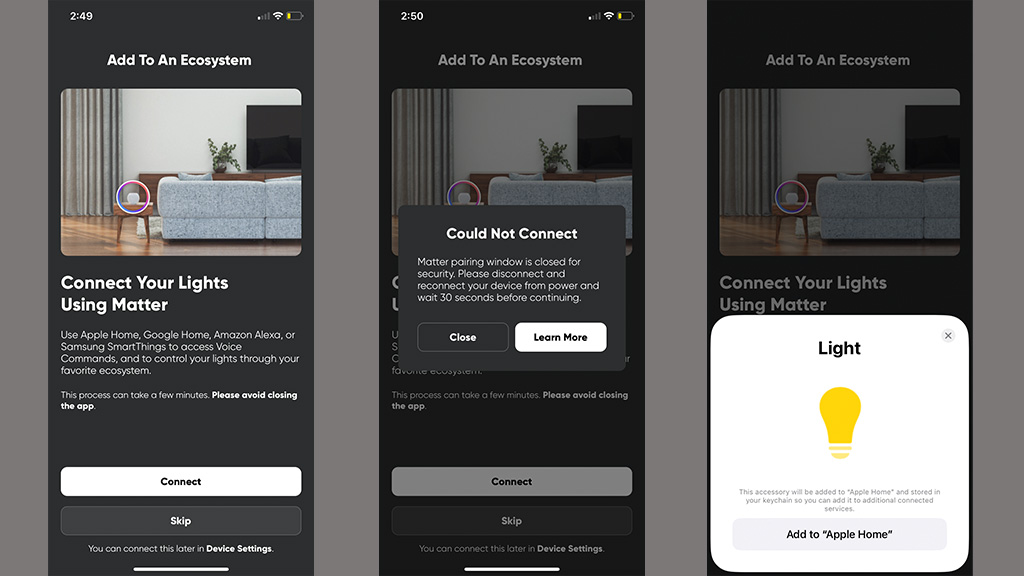

Considering the Nanoleaf Matter Essentials bulb also still features Thread and Bluetooth connectivity, Matter doesn’t really, well, matter right now. It’s more about futureproofing your setup wherein you can connect multiple Matter-enable devices around the home and control them all with just one hub. If you do have a Matter (or Thread) router, your control options open up. For example, using a Matter hub means you can control your lights remotely or set up schedules. Nanoleaf handily lists all the different routers you can use as a control hub for this bulb, and it’s good to know it extends across different platforms (see the specs list above for a full list of Matter routers).
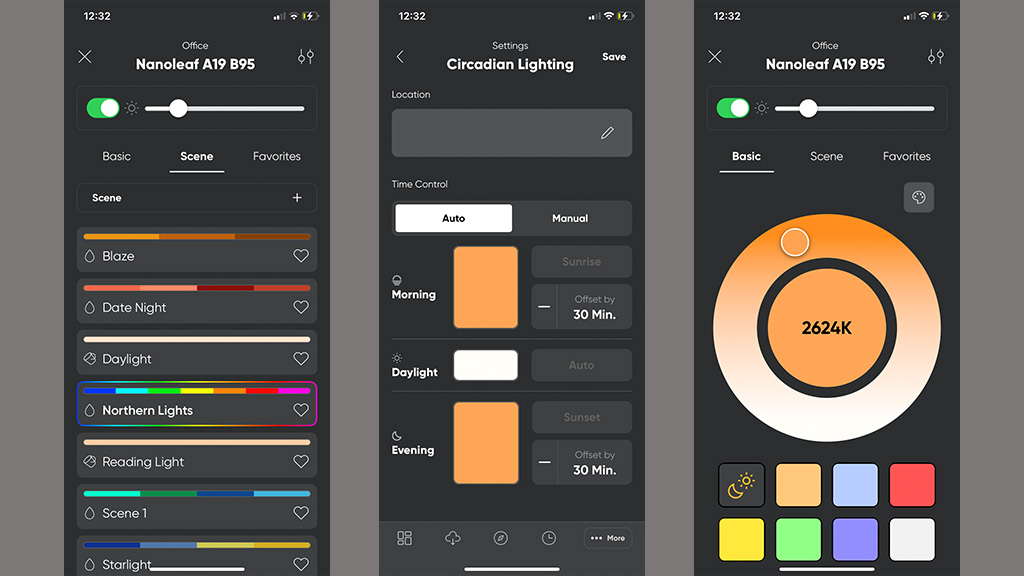
While you can forgo using the Nanoleaf app after the initial pairing and setup, you will need it for firmware updates and to access specific features like Circadian Lighting and creating custom color scenes, however these can essentially be copied through other apps, but I’ll go into this more in the performance and features part of this review.
The app itself is simple to use, with easy-to-navigate tabs and the ability to group lights together by rooms. Through it, you can download scenes and set schedules, though if you set up a schedule through a different way, like through Google Assistant, this will override the schedule you set up in the Nanoleaf app.
Setup and app score: 4/5
Nanoleaf Matter Essentials smart bulb review: performance & features
- Voice control works almost instantly
- Screen mirroring still only available with Nanoleaf desktop app
- Supports 16 million colors, including cool white
With the Nanoleaf Matter Essentials smart bulb, you can add it to schedules, adjust its color, control it via voice commands and have it mirror your PC or Mac screen so long as you have the desktop app.
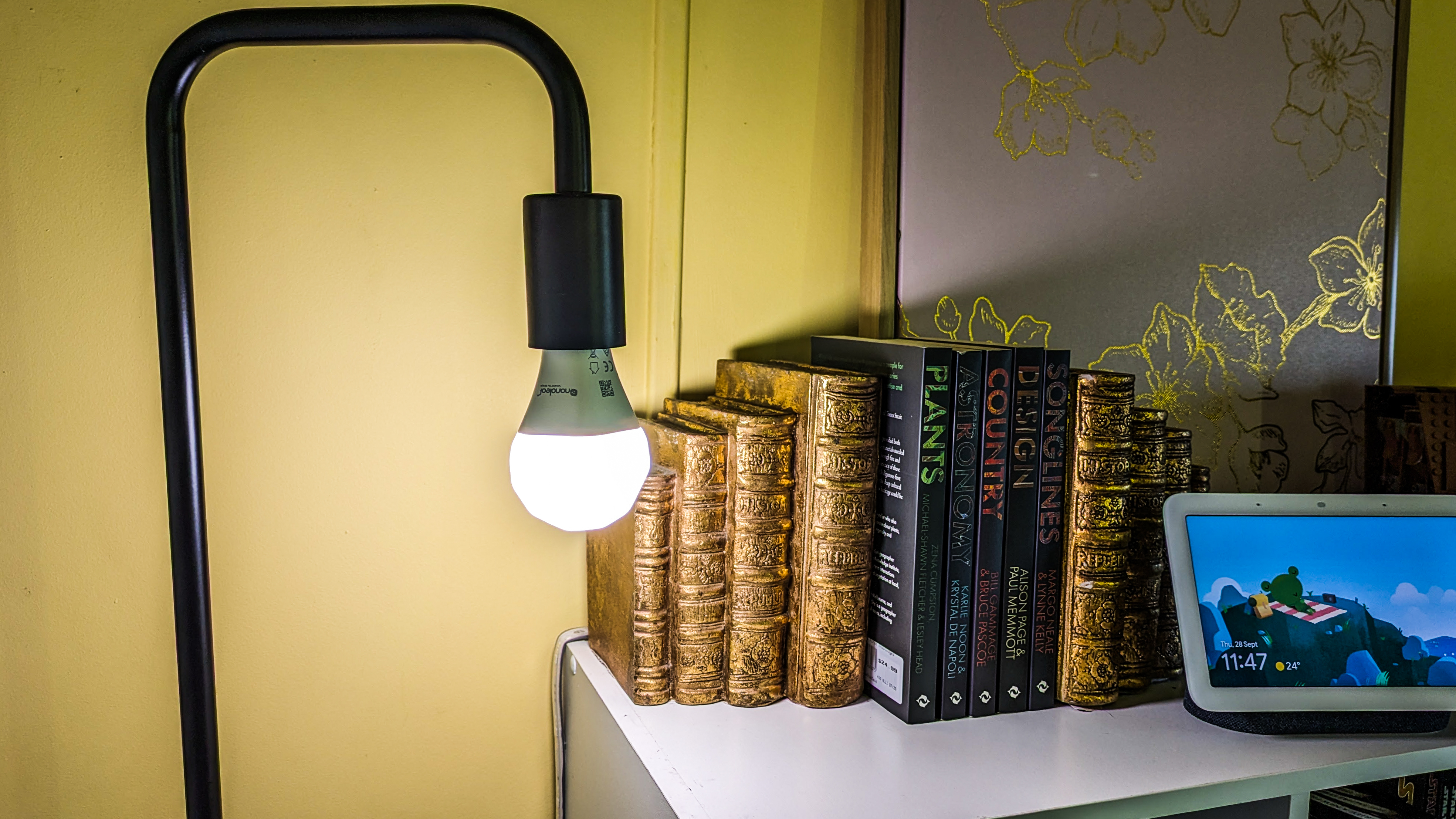
The colors on offer with this bulb are spectacular, with vibrant reds, deep blues, both cool and warm whites, and every color in between. I’d go so far as to say that the colors are more vivid than on a Hue light. With the Nanoleaf app, you can create or download scenes made by other users which will make the bulb switch between colors with different transition options available to adjust to your liking. If you’re really happy with any scene you’ve created, you can make them available for other Nanoleaf users to download too.

It also has the ability to get brighter or dimmer, and you can even set it up to automatically adjust its brightness during the day using the Circadian Lighting feature. The Nanoleaf Matter Essentials A19 smart bulb dimming and brightness are also still fantastic, with the option to go all the way to 0%, and all the way up to the full 1100 lumen it’s rated for. It doesn’t quite match the Philips Hues 1600 lumen, but it’s still really impressive, and will easily light up a small bedroom on its own, so long as you’re not using a lamp with a thick shade.
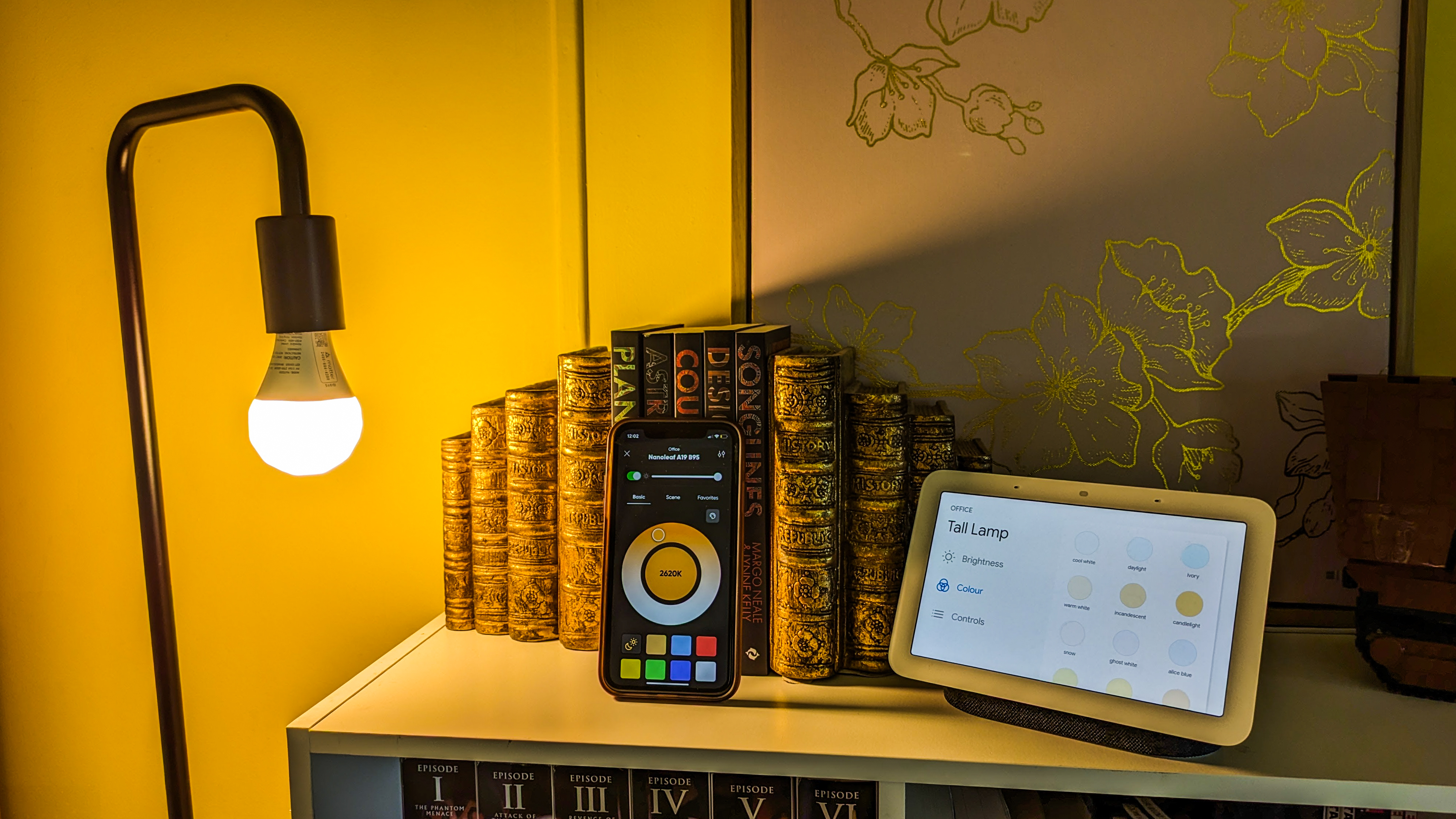
As a low-powered device, there is a small delay when taking voice prompts on the Google Nest Hub 2, but after the hub has registered the prompt, the Nanoleaf Matter Essentials bulb responds almost instantly. You can also make adjustments directly on any touch screen if your home hub has one, and I found any changes I made this way were also incredibly fast to take effect on the bulb itself.
This also means that if you include the bulb as part of any schedules, it will efficiently follow them at the allocated time. With automations through Google Home, you can set the bulb to turn on, change colors, brightness or follow Sleep or Wake lighting effects where the bulb will adjust brightness to simulate a natural sunrise or sunset.
Effectively, I found that I could mimic color scenes or Circadian Lighting this way, but it takes a few more steps to set it up. This does make the Nanoleaf app a little more redundant, though these features are much more intuitive through the app.
Performance and features score: 4/5
Image 1 of 2


Should I buy the Nanoleaf Matter Essentials smart bulb?
| Attributes | Notes | Rating |
|---|---|---|
| Value | It remains one of the most affordable and easy entry points into smart lighting. | 4.5/5 |
| Design | It’s nice to see Nanoleaf retain the unique and distinctive rhombicosidodecahedron shape. | 4.5/5 |
| Setup & app | Matter protocol is still new, so there are some teething issues, but firmware updates are making it a smoother setup. | 4/5 |
| Performance | Some features are locked to the Nanoleaf app and get overridden by adjustments on other platforms, but it’s still feature-packed and is quite bright. | 4/5 |
Buy it if…
Don’t buy it if…
Also consider
| Header Cell – Column 0 | Nanoleaf Matter Essentials A19 smart bulb | Philips Hue Color Ambiance A67 – E27 / ES smart bulb |
|---|---|---|
| Starting price | From $19.99 / £19.99 / AU$39.99 per bulb | $54.99 / £54.99 / AU$119.95 |
| Wattage | 8.5W | 8.5W |
| Color range | 16 million + | 16 million + |
| Brightness | 1100 lumen (806 average) | 1,600 lumen |
| Connection type/s | Matter, Thread, Bluetooth | Bluetooth, Zigbee |
| Control Options | Nanoleaf App (Android & iOS), Apple Home, Google Home, Amazon Alexa and Samsung SmartThings | Philips Hue App, Amazon Alexa, Google Assistant, Apple HomeKit, Microsoft Cortana |
| Lifetime | 25,000 hours | 25,000 hours |
How I tested the Nanoleaf Matter Essentials smart bulb
- Tested with Google Nest Hub 2, iPhone XR and Google Pixel 7a
- Kept up to date and tested with each update – latest September 18, 2023 (update 3.5.41)
- Disconnected and reconnected into smart home system several times and in different ways
Initial testing of the Nanoleaf Matter Essentials A19 smart bulb involved the Google Nest Hub 2 and the iPhone XR back in late June. At the time, the bulb had issues connecting through the Google Home app on an Apple device, and required an Android handset.
In a bid to troubleshoot, I disconnected and reconnected periodically (both physically and in the app), using a different combination of phone and app each time. In my tests following the August 17, 2023 updates, I found that both the iPhone and the Google Pixel 7a are able to seamlessly pair the device to the Google Nest Hub 2, through the Google Home app.
I used the bulb in a floor lamp for both my bedroom, and used both in-app controls and voice commands to switch it off and on. I also added it to automations within the Google Home app, and synced it to my alarms on the Nest Hub 2 itself to see how it interacted with these settings.
Read more about how we test
[First reviewed September 2023]